Need to see if your shared folder is taking up space on your dropbox 👨💻? Find out how to check here.
Forum Discussion

magnumuk
3 years agoExplorer | Level 3
Dropbox app. will not connect to internet.
Hi,
I upgraded my iMac to OSX 11.7.2 (Big Sur) a while ago, and since then I have been unable to log in to my account in the Dropbox app. My Dropbox app, is v163.4.5456. On Mac OSX (High Sierra) ...

Hannah Dropbox Community Moderator
3 years agoDropbox Community ModeratorNot a problem, David!
I just sent you an email, so we can continue from there. 🙂

MWCShopper
3 years agoExplorer | Level 3
I am having this problem as well. Is there a solution?
- Jay3 years ago
Hi MWCShopper, could you let us know more details on this matter?
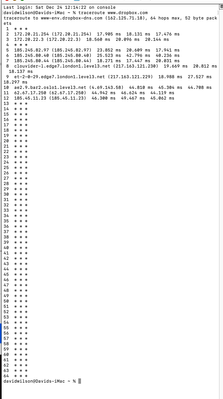
Do you have any proxy, VPN, firewall, security software, or even ISP/router settings that could be restricting traffic to the following Dropbox domains?
- MWCShopper3 years agoExplorer | Level 3
I am using Mac OS 12.6.2. No VPN or virus software. No restrictions on router. Things were working great until about a 6 weeks ago I noticed my Dropbox app was not syncing and updating to the web folder and my Windows computer app. I did the complete erase and reinstall with the app trying to start-saying starting or message saying there was not an Internet connection, nor could not get the login screen to come up. I just was using the web to get past the holidays. I noticed there was an update to the Dropbox app and downloaded and installed vs 164.4.7914. Right after the install the login screen actually came up, but after entering username and password, then back to the starting and no Internet message.
- Hannah3 years ago
Hey MWCShopper, are you using a free Dropbox account?
If so, is it possible that you've exceeded the limit of 3 connected devices on your account that's why you're having this issue?
You can see all your connected devices at the bottom of this page.

About Apps and Installations
Have a question about a Dropbox app or installation? Reach out to the Dropbox Community and get solutions, help, and advice from members.
The Dropbox Community team is active from Monday to Friday. We try to respond to you as soon as we can, usually within 2 hours.
If you need more help you can view your support options (expected response time for an email or ticket is 24 hours), or contact us on X, Facebook or Instagram.
For more info on available support options for your Dropbox plan, see this article.
If you found the answer to your question in this Community thread, please 'like' the post to say thanks and to let us know it was useful!


