Your workflow is unique 👨💻 - tell us how you use Dropbox here.
Forum Discussion

mblatz01
2 years agoExplorer | Level 3
Dropbox Context Menu (Including "Copy Dropbox Link") not Appearing in Explorer
Windows 10 Home Edition 64-bit, ver 22H2
Dropbox ver 173.4.6706
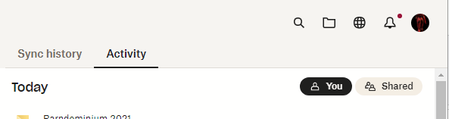
When I open up my Dropbox folder from DB desktop app (using folder icon in Dropbox panel displayed):
And t...

Jay Dropbox Community Moderator
2 years agoDropbox Community ModeratorHi mblatz01, thanks for bringing this to our attention.
Could you try reinstalling the Dropbox desktop application, without uninstalling it first, by using this link, and then rebooting your device entirely?
This will help me to assist further!

mblatz01
2 years agoExplorer | Level 3
Reinstall and reboot done as requested, using admin rights (not strictly necessary, I understand) and seemed to occur without issue? (If there is an installation log that is human-readable, I'd review or send if you can point me to it)
- Nancy2 years ago
Sorry for jumping in, mblatz01!
Just to clarify; did reinstalling the Dropbox app resolve the issue you were having?
- mblatz012 years agoExplorer | Level 3
Jay Nancy Sorry for the delay responding (I didn't receive an email notification for some reason?)...no, it did not. Exact same behavior (links presented for folders, not for files) still persists.
And, if it is diagnostically meaningful, the Dropbox app window that appears in corner when I click on QuickLaunch icon also has the "link" icon presenter to right of list of recent files and etc. grayed out/not usable.

About Apps and Installations
Have a question about a Dropbox app or installation? Reach out to the Dropbox Community and get solutions, help, and advice from members.
The Dropbox Community team is active from Monday to Friday. We try to respond to you as soon as we can, usually within 2 hours.
If you need more help you can view your support options (expected response time for an email or ticket is 24 hours), or contact us on X, Facebook or Instagram.
For more info on available support options for your Dropbox plan, see this article.
If you found the answer to your question in this Community thread, please 'like' the post to say thanks and to let us know it was useful!


