Your workflow is unique 👨💻 - tell us how you use Dropbox here.
Forum Discussion

CapnBuck
4 years agoExplorer | Level 3
DROPBOX PASSWORDS WILL NOT GO BACK INTO SAFARI EXTENSIONS
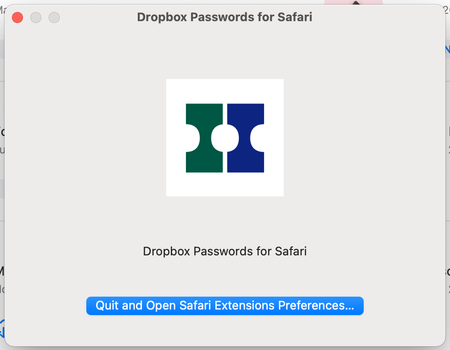
Dropbox Passwords disappeared from Safari extensions and will not go back in.
When attempting to put it back in I get the following:
When fo...

Candace A.4
4 years agoExplorer | Level 3
Yes, Safari version is the latest: Version 15.2 (17612.3.6.1.6). I am seeing the same screen as above. When I quit and open Safari Preferences Extensions, Dropbox Passwords is not listed. If I click on More Extensions, it takes me to the Apple (Mac) App Store, where my only choice is to re-download Dropbox Passwords for Safari.app. I've tried deleting and reinstalling Dropbox Passwords for Safari.app. I tried restarting my MacBook Pro (14-inch, 2021), Apple M1 Pro chip, 32 GB RAM, running macOS Monterey version 12.1.

Megan Dropbox Community Moderator
4 years agoDropbox Community ModeratorThanks for the updates, Candace A.4!
Let me know if it's okay for me to reach out to you via email, in order to have a closer look at how we can proceed next.
- Candace A.44 years agoExplorer | Level 3
Yes, of course.
- Megan4 years ago
Just sent you an email, Candace A.4!
I'll see you there, so we can continue troubleshooting on this.
Cheers!
 doobit3 years agoExplorer | Level 3
Hi support. I'm also having the same issue on a MacBook Pro 14". The extension was working and then it vanished. I have tried all suggested remedies but nothing is working. Please help.
- Candace A.43 years agoExplorer | Level 3
Well, now that I've switched to another password manager, Dropbox Passwords is now working correctly. After putting all the energy into setting up another password manager, I'm not sure that I'll go back to Dropbox Passwords. Having it just stop working for no particular reason for a few months is not a strong selling point for the application. Dropbox Passwords does work more quickly than what I'm using now (Secrets), but Secrets seems to be more reliable. Reliability is kinda crucial in a password management application. Just sayin'....
About Apps and Installations
Have a question about a Dropbox app or installation? Reach out to the Dropbox Community and get solutions, help, and advice from members.
The Dropbox Community team is active from Monday to Friday. We try to respond to you as soon as we can, usually within 2 hours.
If you need more help you can view your support options (expected response time for an email or ticket is 24 hours), or contact us on X, Facebook or Instagram.
For more info on available support options for your Dropbox plan, see this article.
If you found the answer to your question in this Community thread, please 'like' the post to say thanks and to let us know it was useful!


