We're making some changes to the Dropbox Community 👩💻 - Find out more here.
Forum Discussion

Kath6
3 months agoNew member | Level 2
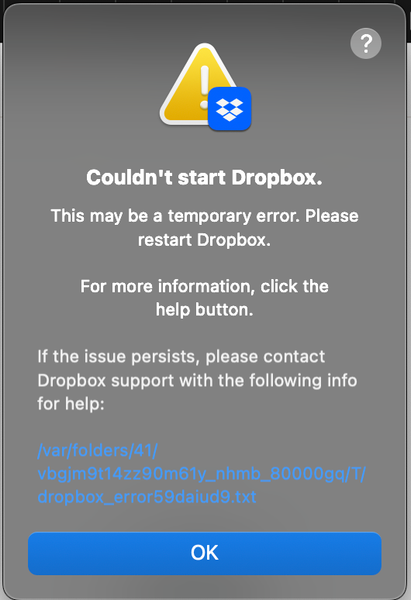
Dropbox won't open on macBook. See error below.
Application Affected - Dropbox app on MacBook Device - MacBook Dropbox App Version (if using the app) - can't open the app to see, but have tried to reinstall
Question or Issue Hello! I'm...
 3 months ago
I think I've solved my own problem! Well, ChatGPT did. I asked about what to do with my specific iOS (Sequoia 15.6) and it told me to use the Finder 'go to folder' function in the 'go' menu, and then delete a bunch of files. I can't post the actual reply here for some reason, but here's a screenshot of what I sent to the trash.
Hope this helps someone else!
Kath6
3 months agoNew member | Level 2
I think I've solved my own problem! Well, ChatGPT did. I asked about what to do with my specific iOS (Sequoia 15.6) and it told me to use the Finder 'go to folder' function in the 'go' menu, and then delete a bunch of files. I can't post the actual reply here for some reason, but here's a screenshot of what I sent to the trash.
Hope this helps someone else!
About Apps and Installations
Have a question about a Dropbox app or installation? Reach out to the Dropbox Community and get solutions, help, and advice from members.
The Dropbox Community team is active from Monday to Friday. We try to respond to you as soon as we can, usually within 2 hours.
If you need more help you can view your support options (expected response time for an email or ticket is 24 hours), or contact us on X, Facebook or Instagram.
For more info on available support options for your Dropbox plan, see this article.
If you found the answer to your question in this Community thread, please 'like' the post to say thanks and to let us know it was useful!


