We’re Still Here to Help (Even Over the Holidays!) - find out more here.
Forum Discussion

discofuel
4 months agoHelpful | Level 6
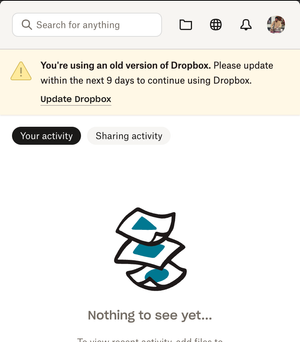
The desktop app keeps telling me I'm running an old version. Do I need to upgrade to File Provider?
Application Affected
Dropbox Desktop Device
M1 Macbook Pro Operating System/Browser (if using the web)
Mac Os X 12.7.6 Dropbox App Version (if using the app)
222.4.5042
Question...

Nancy Dropbox Community Moderator
4 months agoDropbox Community ModeratorHey discofuel! Welcome back to our Community.
Since you mention you’re running this Dropbox app version 222.4.5042, it’s quite possible that this is about updating to the latest app version instead (232.4.5926).
Can you go to this page and try to update your desktop app from there?
Let me know if the notification re-appears after that.
About Apps and Installations
Have a question about a Dropbox app or installation? Reach out to the Dropbox Community and get solutions, help, and advice from members.
The Dropbox Community team is active from Monday to Friday. We try to respond to you as soon as we can, usually within 2 hours.
If you need more help you can view your support options (expected response time for an email or ticket is 24 hours), or contact us on X, Facebook or Instagram.
For more info on available support options for your Dropbox plan, see this article.
If you found the answer to your question in this Community thread, please 'like' the post to say thanks and to let us know it was useful!


