Need to see if your shared folder is taking up space on your dropbox 👨💻? Find out how to check here.
Forum Discussion

sendyjasmine
3 years agoExplorer | Level 4
Error in opening Google sheets document
Hi,
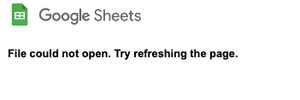
I'm encountering a problem while using Google sheets that's integrated with Dropbox. It used to be fine, but when I tried to open it today, the page refused to load and the message that I g...
 3 years ago
Hi Megan, thanks for replying, I copy the files into the same folder (though error also happens when I copy to elsewhere).
Steps are summarised below so you can see the second error in context. I sent the original issue to support on March 14th, (ticket 21729904) dropbox engineers are working on it but no progress afaik.
Error 1:
- Try to open 'Problem1.gsheet' spreadsheet file
- 'Could not open file, try refreshing the page'
Workaround:
- Rename file to 'Problem1.xlsx', open online, file works
- Close file, rename to .gsheet, open online, file works
Error 2:
- Make a copy of the 'fixed' .gsheet aka 'Problem1-fixed-copy.gsheet'
- 'Could not open file, try refreshing the page'
Essentially the workaround only sorts out individual files, it does not fix the issue with using copies of files. Some people mentioned that the problem applies mostly to copies of 'template' files.

sendyjasmine
3 years agoExplorer | Level 4
not large at all, yes, it can't still be opened

Jay Dropbox Community Moderator
3 years agoDropbox Community ModeratorThere is a possibility that the Google sheet is somehow corrupted. Are you able to open it on the site using the Microsoft Excel feature, or by any other means?
 Dina B3 years agoExplorer | Level 3
Hey team, I'm having this exact issue right now too. In chrome and safari. Last accessed this file in Jan and I don't think it's that large (a few sheets max). Can't see a preview.
Not sure if this is helpful - but I'm able to see a preview on android and ipad. Still can't open tho.
- sendyjasmine3 years agoExplorer | Level 4
yes, when I opened via Ms Excel, it can be opened. But that means I have to change each file's extension with Ms Excel
- Megan3 years ago
Hi Dina B & sendyjasmine, could you take a look at your account's Connected Apps tab and under the Default Apps tab and let me know what options are shown there?
- sendyjasmine3 years agoExplorer | Level 4
I have Ms Word, Excel, and Powerpoint
- Walter3 years ago
Hey sendyjasmine, sorry to jump in, but could you try adding the GSuite integration to your account through the App Center and try again?
Let us know how it goes!
- sendyjasmine3 years agoExplorer | Level 4
Thank you for the suggestion. Previously, my account was already connected ot GSuite but the error persisted. Then, the Dropbox Support Team recommended me to disconnect it first and then re-connect it but I can't seem to reconnect it again. The option to add/connect to GSuite seems to not appear (below).
Moreover, don't you think it's the problem with integrations between Google and Dropbox at the moment? I feel kinda lost since no solutions have worked so far for me.
- Dina B3 years agoExplorer | Level 3
I've got three sections in my Apps tab:
Launch from Dropbox - Google is connected
View Dropbox content - Pixieset Photo Sharing (not sure what this is?), Adobe Acrobat Reader, and Microsoft Office Online
Default editing apps - Word document, Excel Workbook, PowerPoint Presentation
I haven't tried disconnecting and reconnecting Google.
- Nancy3 years ago
sendyjasmine, can you please try to reconnect GSuite by going here and selecting to create a new Google Sheet, for example? You should be then prompted to re-enable the integration.
Dina B, can you also try to disconnect/reconnect the integration, and let me know if you see any difference?
Also, have you both enabled third-party cookies on your web browser?
- sendyjasmine3 years agoExplorer | Level 4
Already tried it, but still, there's no prompt.
- Jay3 years ago
Hi sendyjasmine, Dina B, in the default apps section, do you get the option to switch to Google Docs/Sheets etc? If so, please switch to those versions and try opening the documents again.
Is the Google account associated with your profile a private account, or is it part of a Google Workspace (or business) account?


About Integrations
Find solutions to issues with third-party integrations from the Dropbox Community. Share advice and help members with their integration questions.
The Dropbox Community team is active from Monday to Friday. We try to respond to you as soon as we can, usually within 2 hours.
If you need more help you can view your support options (expected response time for an email or ticket is 24 hours), or contact us on X, Facebook or Instagram.
For more info on available support options for your Dropbox plan, see this article.
If you found the answer to your question in this Community thread, please 'like' the post to say thanks and to let us know it was useful!


