Our Community is in read-only mode until April 8th, learn more here. You can still search existing threads or get help via Dropbox Support, the Dropbox Help Center, or Learn.
Forum Discussion

sendyjasmine
3 years agoExplorer | Level 4
Error that the file couldn't be opened when accessing Google sheets document online.
Hi,
I'm encountering a problem while using Google sheets that's integrated with Dropbox. It used to be fine, but when I tried to open it today, the page refused to load and the message that I g...
 3 years ago
Hi Megan, thanks for replying, I copy the files into the same folder (though error also happens when I copy to elsewhere).
Steps are summarised below so you can see the second error in context. I sent the original issue to support on March 14th, (ticket 21729904) dropbox engineers are working on it but no progress afaik.
Error 1:
- Try to open 'Problem1.gsheet' spreadsheet file
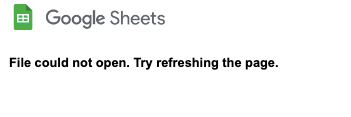
- 'Could not open file, try refreshing the page'
Workaround:
- Rename file to 'Problem1.xlsx', open online, file works
- Close file, rename to .gsheet, open online, file works
Error 2:
- Make a copy of the 'fixed' .gsheet aka 'Problem1-fixed-copy.gsheet'
- 'Could not open file, try refreshing the page'
Essentially the workaround only sorts out individual files, it does not fix the issue with using copies of files. Some people mentioned that the problem applies mostly to copies of 'template' files.
KOMA
3 years agoHelpful | Level 6
-deleted-

miiike
3 years agoExplorer | Level 4
I have this same issue, although renaming to .xlsx and back to .gsheet does not fit it for me.
In my case, when I duplicate the file the same error happens on the duplicate, and in my main file, I attempted to restore an earlier version (within Google's Version history not Dropbox's) and it rendered the file unopenable.
- Jay3 years ago
Dropbox Community Moderator
Hi miiike, are you able to restore and earlier version of the file via the Dropbox version history?
- miiike3 years agoExplorer | Level 4
@jay - I was able to restore my file using the "save as .xlsx, then back to .gsheet"
However, I get the exact same error when I attempt to Duplicate the .gsheet file. I have tried the method of duplicating the file within MacOS Finder, as well as the "Copy" action directly on dropbox.com.
This function seems to always work with .gdoc files, and also seems to work with some .gsheet files (that are more simple in nature), but I have several more complex Google Sheet files that I have absollutely no way to make a copy.
Any thoughts?
Mike
- KOMA3 years agoHelpful | Level 6
Just to add to Miike's comment, I also have the same issue,
I can fix the original files so that they open but when I try to duplicate the 'fixed' files the same errors occur

About Integrations
Get help with third-party integrations from the Dropbox Community.
The Dropbox Community team is active from Monday to Friday. We try to respond to you as soon as we can, usually within 2 hours.
If you need more help you can view your support options (expected response time for an email or ticket is 24 hours), or contact us on X, Facebook or Instagram.
For more info on available support options for your Dropbox plan, see this article.
If you found the answer to your question in this Community thread, please 'like' the post to say thanks and to let us know it was useful!


