Your workflow is unique 👨💻 - tell us how you use Dropbox here.
Forum Discussion

Olbliss
6 years agoCollaborator | Level 8
IPad: Dropbox and Google Sheets Integration
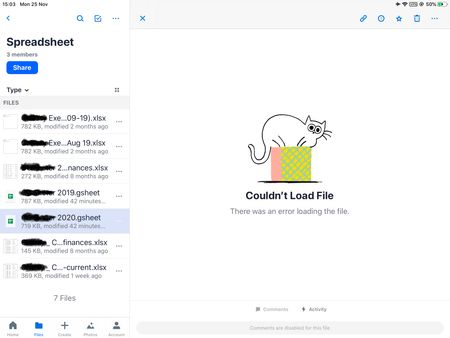
Does anyone have any advice on how to use the google suite with Dropbox on an Ipad?
As the pictures below show, the Dropbox ipad app can't open up google sheets files, even though the google sheets...

Daphne Dropbox Community Moderator
6 years agoDropbox Community ModeratorHey again Olbliss, I hope you're doing well today!
At the moment, the mobile app can only be used to view your Google Sheets. To be able to edit them, you would indeed need to open the file via your browser.
Since I understand that this isn't viable for you and you prefer using the local apps on your iPad, can you try opening the Google Sheet from within the Files app into the local Google Sheets app?
Let me how it goes - thanks!
Olbliss
6 years agoCollaborator | Level 8
Daphne wrote:Since I understand that this isn't viable for you and you prefer using the local apps on your iPad, can you try opening the Google Sheet from within the Files app into the local Google Sheets app?
Opening from the files app has the same problem: it wants to save the file to Google Drive before opening. So I can open google sheets, but would have to re-save to Dropbox after I have finished with a file.
About Integrations
Get help with third-party integrations from the Dropbox Community.
The Dropbox Community team is active from Monday to Friday. We try to respond to you as soon as we can, usually within 2 hours.
If you need more help you can view your support options (expected response time for an email or ticket is 24 hours), or contact us on X, Facebook or Instagram.
For more info on available support options for your Dropbox plan, see this article.
If you found the answer to your question in this Community thread, please 'like' the post to say thanks and to let us know it was useful!


