We're making some changes to the Dropbox Community 👩💻 - Find out more here.
Forum Discussion

Frogbert
5 hours agoNew member | Level 2
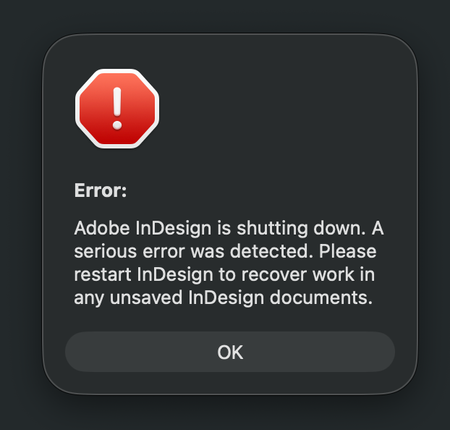
Links/syncing stopped working for InDesign files in Dropbox, after Adobe InDesign crashed.
Application Affected
Dropbox and Adobe InDesign Device
iMac M3 - 2023 Operating System/Browser (if using the web)
MacOS Tahoe 26.3.1 (a) Dropbox App Version (if using the app)
244...

Frogbert
3 hours agoNew member | Level 2
Hi Nancy,
Thank you for getting back to me. I just tried, and it didn't change anything. But what did work was when I opened the document, and linked one picture. Then I saved it, and when reopening the document, I tried to relink the next picture, and THEN it found the rest of the pictures in that folder. I guess that is the way to go. My only question is if this will happen to all new projects added to Dropbox as well, or if it only did affect what was already there.
Yes, I see I have got an email, and I will get back to that. Today has just been crazy busy, but I will report back for sure.
I guess my wording was maybe not correct, but I have my own Dropbox account, that I pay for myself. But I get access to all the project folders from the client I work for. They give me access to only the folders I need, to do my job, so it's not shared login or anything like that. I hope that helps, and is what you needed to get clarified?

Nancy Dropbox Community Moderator
1 hour agoDropbox Community ModeratorI’m glad to hear that seemed to help a bit, even though I understand it may not be the most ideal workaround.
As for your new projects, the only way to know for sure is by adding them to Dropbox and working on them; we can’t be certain otherwise, unfortunately.
And thanks for clarifying what I asked! All good.
About Integrations
Get help with third-party integrations from the Dropbox Community.
The Dropbox Community team is active from Monday to Friday. We try to respond to you as soon as we can, usually within 2 hours.
If you need more help you can view your support options (expected response time for an email or ticket is 24 hours), or contact us on X, Facebook or Instagram.
For more info on available support options for your Dropbox plan, see this article.
If you found the answer to your question in this Community thread, please 'like' the post to say thanks and to let us know it was useful!


