Our Community is in read-only mode until April 8th, learn more here. You can still search existing threads or get help via Dropbox Support, the Dropbox Help Center, or Learn.
Forum Discussion

doppyjoe
2 years agoHelpful | Level 5
Logic Pro files disappearing
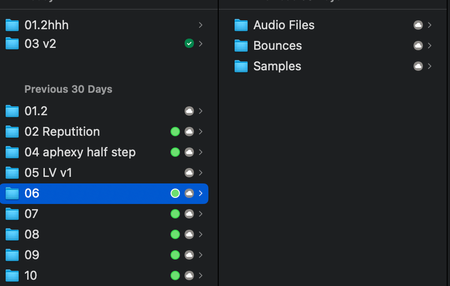
I got a new macbook (M2) and migrated from my old macbook (2019 intel). Initially I set all of my dropbox folders to online only so I could then manually select what I wanted to keep local. ...

Gomba
2 years agoExplorer | Level 4
Nope. Located at ~/users/***/Dropbox
Version: 190.3.6326. All files up to date.

Megan Dropbox Community Moderator
2 years agoDropbox Community ModeratorHey Gomba, it sounds like you're using a beta version of our app.
Can you try downgrading from your account settings, and turning Early Access off? Then once you do this, you can try downloading our stable build and installing it.
Also, if you visit your account online, are you able to see your Logic files there?
- Gomba2 years agoExplorer | Level 4
Ok. Turned Early Access off. I'm installing again the application. I assume it's going to take a while to sync the file list once again. Will come back here when it's done.
About files on dropbox website:
Yes, they appear normally as .logicx library. But when I download them directly from website, they come as .tar files and when I try to open them an error occurs:

About Integrations
Get help with third-party integrations from the Dropbox Community.
The Dropbox Community team is active from Monday to Friday. We try to respond to you as soon as we can, usually within 2 hours.
If you need more help you can view your support options (expected response time for an email or ticket is 24 hours), or contact us on X, Facebook or Instagram.
For more info on available support options for your Dropbox plan, see this article.
If you found the answer to your question in this Community thread, please 'like' the post to say thanks and to let us know it was useful!


