Your workflow is unique 👨💻 - tell us how you use Dropbox here.
Forum Discussion

Robert F.41
2 years agoHelpful | Level 6
Mac app for creating files via context menu?
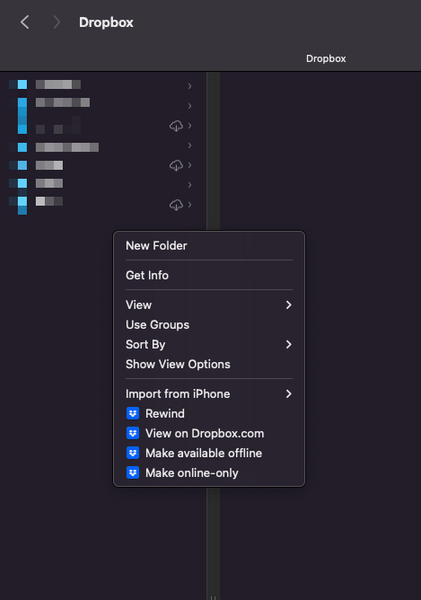
Does anyone know of a Mac app that allows you to right-click on (or in) a local directory on your Mac (that syncs with Dropbox) that will allow you to create new files? I've been using an app called...

Robert F.41
2 years agoHelpful | Level 6
It's interesting that I also have an account with sync.com and I don't have this problem with their macOS application.

Ben P.1
2 years agoHelpful | Level 5
NewFileMenu version 1.7, released last month July 2023, has been updated to resolve this.
It works a little differently in Library cloud storage folders like Dropbox now. It's enabled via Quick Actions, accessible from context-clicking (right-clicking) on the folder itself, rather than inside the folder.
Pretty straightforward once you've set it up.
Sync.com btw doesn't yet use the new MacOS cloud storage folders so that's why NewFileMenu still work the old way there.
About Integrations
Get help with third-party integrations from the Dropbox Community.
The Dropbox Community team is active from Monday to Friday. We try to respond to you as soon as we can, usually within 2 hours.
If you need more help you can view your support options (expected response time for an email or ticket is 24 hours), or contact us on X, Facebook or Instagram.
For more info on available support options for your Dropbox plan, see this article.
If you found the answer to your question in this Community thread, please 'like' the post to say thanks and to let us know it was useful!


