Your workflow is unique 👨💻 - tell us how you use Dropbox here.
Forum Discussion

wildman4
6 months agoExplorer | Level 3
Cannot set default sync state for new files to "available offline"
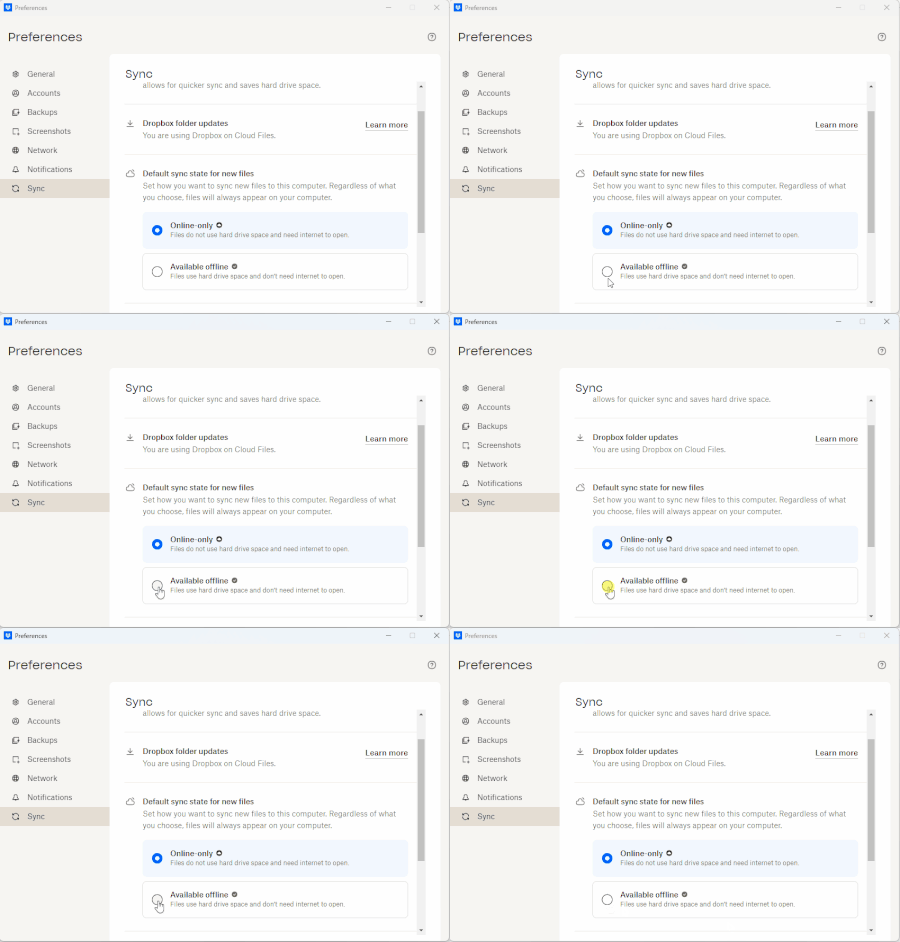
I am unable to select "Available offline" as the "Default sync state for new files" within the desktop application Preferences. I do have the ability through the "right click" menu to "Make availabl...

wildman4
6 months agoExplorer | Level 3
Hi Hannah,
Thanks for your response.
Strangely, when I just came back a bit ago, I was logged out of Dropbox on my machine. I wonder if this was a result of filing this ticket...
Regardless, I was using "Dropbox for Windows." I downloaded and installed the latest version: 229.4.5197 from your link. I opted-in for "Dropbox for Windows." I am a bit frustrated that it required me to re-download everything all over again... It told me it had to rename the old Dropbox folder and then proceeded to sync everything again (because I do want everything synced).
Nevertheless, the issue still seems to occur, however, with a slightly different behavior.
Now, I can select "Available offline" as the "Default sync state for new files" within the desktop application Preferences, but it does not persist.
Also, the same behavior continues in Windows Explorer. The files that were originally downloaded after installing and logging into Dropbox have the green outlined status icon. I have the ability to use the Windows Explorer context menu to "Make available offline." Files I have selected (eg. Photo 3) for available offline via the context menu have the filled in green check mark.

Megan Dropbox Community Moderator
6 months agoDropbox Community ModeratorHey wildman4, let me also jump in here!
One more thing I'd like to ask is for the Dropbox desktop app's current syncing status.
Have you tried quitting the app by right-clicking the Dropbox icon in your task bar? You can then select Quit Dropbox, then reopen it from your installed applications.
Let me know of any updates!
About Settings and Preferences
The Dropbox Community is here to help if you have questions about your account settings and preferences. Learn and share advice with members.
The Dropbox Community team is active from Monday to Friday. We try to respond to you as soon as we can, usually within 2 hours.
If you need more help you can view your support options (expected response time for an email or ticket is 24 hours), or contact us on X, Facebook or Instagram.
For more info on available support options for your Dropbox plan, see this article.
If you found the answer to your question in this Community thread, please 'like' the post to say thanks and to let us know it was useful!


