Your workflow is unique 👨💻 - tell us how you use Dropbox here.
Forum Discussion

wildman4
6 months agoExplorer | Level 3
Cannot set default sync state for new files to "available offline"
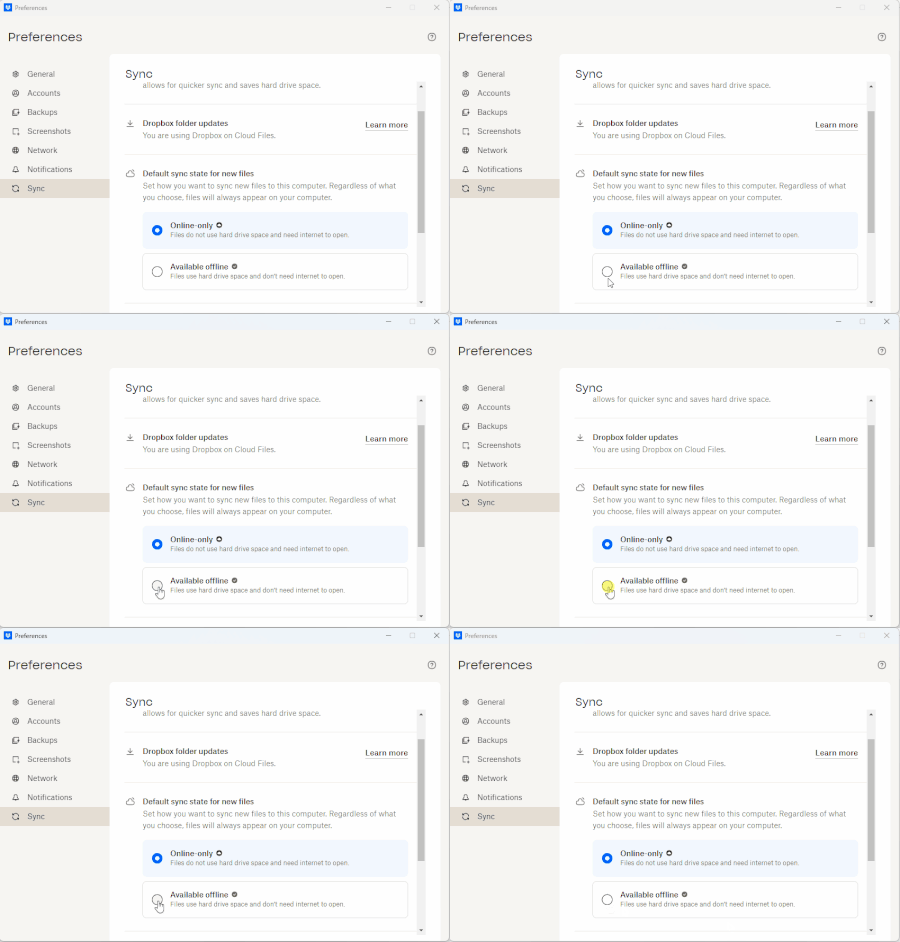
I am unable to select "Available offline" as the "Default sync state for new files" within the desktop application Preferences. I do have the ability through the "right click" menu to "Make availabl...

justin h.2
6 months agoExplorer | Level 4
This seems to be the most recent relevant thread...i have the same issue, very frustrating...it will not let me select 'offline only' from my default settings. im running the latest updated win10 and the most recent dropbox update which i just ran...still the same problem
- Megan6 months ago
Dropbox Community Moderator
Hey justin h.2, thanks for posting here, let's jump right into this!
How long has this been an issue?
Would you mind clarifying which app version you currently have installed, along with the app's syncing status? I just want to make sure you're not running a beta version of our app.
You can find both by hovering your mouse over the little Dropbox icon in your taskbar next to your WiFi.
Lastly, if you select a file/folder inside your Dropbox folder, and right click on it, do you have the option to make the content available offline or online-only?
Keep me posted, and we'll take it from there!
- Nancy5 months ago
Hey justin h.2! I wanted to make sure that you’ve seen Megan’s reply above. If you have, and you need further help, don’t hesitate to let us know.


About Settings and Preferences
The Dropbox Community is here to help if you have questions about your account settings and preferences. Learn and share advice with members.
The Dropbox Community team is active from Monday to Friday. We try to respond to you as soon as we can, usually within 2 hours.
If you need more help you can view your support options (expected response time for an email or ticket is 24 hours), or contact us on X, Facebook or Instagram.
For more info on available support options for your Dropbox plan, see this article.
If you found the answer to your question in this Community thread, please 'like' the post to say thanks and to let us know it was useful!


