Our Community is in read-only mode until April 8th, learn more here. You can still search existing threads or get help via Dropbox Support, the Dropbox Help Center, or Learn.
Forum Discussion

Eildh
2 years agoHelpful | Level 6
Wrong date format in email notiifcations despite settings
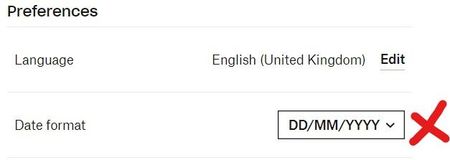
The date format is set to DD-MM-YYYY in my preferences, but Dropbox emails are arrving in a completely different format with the month and day inverted.
I know MM-DD-YYY is used in t...
 2 years ago
Hi, sorry for the delay~
I travelled for work and had no internet access so didn't change the date format, but on return, I found that incoming Dropbox notification emails are now showing the correct date format for all shared folders, including the one in the initial post. So basically I've done nothing and it seems to have sorted itself out (somehow)... 😕
Eildh
2 years agoHelpful | Level 6
Afraid I don't have recent emails for other folders, but this particular folder is owned by another user and I've no idea what date format they use. I assume this is the likely issue?

Jay Dropbox Community Moderator
2 years agoDropbox Community ModeratorHi Eildh, could you try switching your date to another format, like YYYY - MM - DD, leave it like that for a few seconds, and then switch it back to DD/MM/YY and let us know how it goes the next time you get an email?
- Eildh2 years agoHelpful | Level 6
Hi, sorry for the delay~
I travelled for work and had no internet access so didn't change the date format, but on return, I found that incoming Dropbox notification emails are now showing the correct date format for all shared folders, including the one in the initial post. So basically I've done nothing and it seems to have sorted itself out (somehow)... 😕

About Settings and Preferences
The Dropbox Community is here to help if you have questions about your account settings and preferences. Learn and share advice with members.
The Dropbox Community team is active from Monday to Friday. We try to respond to you as soon as we can, usually within 2 hours.
If you need more help you can view your support options (expected response time for an email or ticket is 24 hours), or contact us on X, Facebook or Instagram.
For more info on available support options for your Dropbox plan, see this article.
If you found the answer to your question in this Community thread, please 'like' the post to say thanks and to let us know it was useful!


