Your workflow is unique 👨💻 - tell us how you use Dropbox here.
Account Access
698 Topics
macOS File Provider: Dropbox cannot relink to existing CloudStorage folder
Application Affected Dropbox on Windows PC and iMac Sequoia Device Windows PC and iMac Sequoia Operating System/Browser (if using the web) Latest Windows, iOS 15.7.4 After a routine restart, the Dropbox desktop app lost its login state and now cannot relink to the existing File Provider folder at ~/Library/CloudStorage/Dropbox; instead the installer tries to create a new Dropbox folder. I have been successfully using Dropbox with the macOS File Provider configuration (CloudStorage location) for several months. My Dropbox folder has consistently been located at: /Users/xyz/Library/CloudStorage/Dropbox I did not reinstall the Dropbox application and I did not intentionally sign out or attempt to relink my account. The issue appears to have started after a routine computer restart, at which point the Dropbox desktop client seemed to lose its login state. When I start the app now, the first thing I see is a “Welcome to Dropbox” message and the menu bar icon indicates that the application is “Waiting to be linked to a Dropbox account.” My existing Dropbox folder remains intact. The folder at /Users/xyz/Library/CloudStorage/Dropbox still contains all my files. The .dropbox marker file is present in that folder. All files are also visible and intact on dropbox.com. When I attempt to sign in through the desktop app, the following occurs. The app asks me to sign in with Dropbox. After signing in, the setup process shows the message “There’s already a folder named Dropbox.” If I select “Choose Another Location” and point to the existing folder, the dialog says “A folder named ‘Dropbox’ will be created inside the folder you select.” This suggests the installer is trying to create a new Dropbox folder rather than adopt the existing File Provider folder. Because of that message I have not proceeded, since it appears it would create a nested structure such as: /Users/xyz/Library/CloudStorage/Dropbox/Dropbox Currently the Dropbox icon appears in the menu bar but is greyed out and the client shows the state “Waiting to be linked to a Dropbox account.” To summarize: I was already using the CloudStorage/File Provider location successfully for months. I did not reinstall Dropbox. I did not intentionally unlink the account. The existing Dropbox folder and files are still present and intact. The client appears unable to relink to the existing File Provider folder and instead tries to create a new one. During the setup flow the client also displayed the message that the desktop app cannot sync over 500,000 files. I am not sure if this is related. However, only about 150–200k files are synced locally on my iMac. I also discovered the identical situation on my Windows PC starting at about the same time, which suggests this may be related to my Dropbox account rather than the individual devices or operating systems. Could someone advise how to safely relink the Dropbox client to the existing File Provider folder at: /Users/xyz/Library/CloudStorage/Dropbox without creating a second Dropbox folder? I rely heavily on Dropbox for daily work, so I would greatly appreciate guidance. Thank you.8Views0likes1Comment
Re: Dropbox website is stuck loading when I try to login
I have exactly the same problem as described in this thread. https://www.dropboxforum.com/discussions/101001020/dropbox-website-is-stuck-loading-when-i-try-to-login/786004 However, I didn’t find a solution there. Could you please tell me how to log into my account on a new device? Why does the authorization work without any issues on one device but get stuck on another?9Views0likes1Comment
I can't log in to the Dropbox app through my new Android phone
I just upgraded my Android phone and I can't access the files in the app. I have a premium account and I went through and unlinked past devices but I still can't access it. I've been logging using Google. I clicked on the email that I got that verify it was me trying to log in but I still can't access my account. No matter what I do, nothing is working. Can somebody hear help? Thank you49Views0likes3Comments
I was asked to enter a new password, and that created a new account. I need my old account back.
My password wasn't accepted when trying to access my account recently. Instead, I was asked to set a new password meeting DropBox's more stringent requirements. Well and good! Anyway, I did as asked but then found myself with a new account and all my files missing! Fortunately, I have back-ups; just as well, but I shouldn't have had to resort to a backup! Please restore my (free) account! I have 12.5Gb of storage so a new 2GB storage allowance is insufficient! Thank you.Solved57Views0likes3Comments
Unable to sign in to Dropbox in MacBook Air Taskbar
Application Affected Dropbox App Device MacBook Air Operating System/Browser (if using the web) MacOS Tahoe 26.3 Dropbox App Version (if using the app) 144.4.4491 Question or Issue Problem best stated as OS based App will not open on MacBook Air, and will not let me login. Background: It’s been awhile since I actively used Dropbox; it has probably not been backing up as intended. I realized a while ago that I had two accounts, and am finally going through the process of combining data by sharing from secondary account to the primary, so I can delete one account due to renew 3.30.26. I’ve been working on the Browser-based Dropbox to do this. My problem is that now I am trying to see all the shared folders & files on my MacBook Air, and to verify that these are all “available offline” before I continue the process of moving, backup and deleting redundant account. But I can’t yet see then newly shared folders in Finder on MBAir, although I see them in the primary account in Browser-based view. I opened Dropbox in the Taskbar but any attempt to use it sends it into an endless loop. I chose to make the primary account - the one I will keep - that same user name / email as my Apple account, at least I think that is what I have done. I’m not sure if that is the issue, though. When I open the Dropbox in Taskbar, I can see the general, account, backups, network, notifications, and sync tab. Selecting Account shows me message to Sign in to a Dropbox account, but doesn’t ever finish spiraling. My account is Dropbox Plus. What do I need to do to fix this?Solved73Views0likes6Comments
Lost 2FA access and no backup codes or phone number - Am I going to lose my account of 12+ years?
Do you have access to the email linked to the account? Yes Are there any devices connected to your Dropbox account? None Question or Issue I tried to update my 2fa last year and apparently I did it wrong, now my new 2FA codes don't work for my dropbox account. I don't have any files synced with dropbox on any device so they're all in the cloud. I contacted support and was told that without 2FA, backup code or a backup phone number(I don't think I have a phone # linked to my account) that I will lose my account access. Just wondering if anyone has any experience with this? I really would like to keep my dropbox account because I have files in there since my college days.51Views0likes5CommentsUsers with business emails are forced to change their email addresses
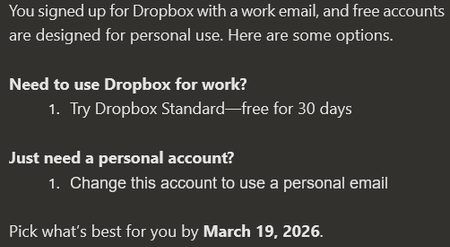
Dropbox Plan Personal Payment Method N/A How did you upgrade? Question or Issue Multiple users at the office were sent and email explaining that they needed to use a personal email or pay for an upgrade. The only thing we use Dropbox for is to download links sent to us. We do not want personal email accounts to be used in the business. What options do we have? Thanks,333Views0likes11CommentsDropbox is asking for a 6-digit code, but I don't see it in Hotmail.
This problem happened last year when I returned to the US. I lost access to Dropbox on my Macbook Air and iPhone,and I have my login email and password but Dropbox is just not forwarding the verification code to my hotmail account. Last summer, I had a similar problem and managed to get someone on the phone at Dropbox to help restore it. This is an older (not regularly used) account that I have valuable items stored in. The recovery questionnaire apparently wanted ALL the questions answered correctly. My real name is on the account. I know I can name plenty of files that are inside the Dropbox account. I have my passport and ID, and there are photos of myself in that Dropbox account (which match my ID). If I can speak again by phone with someone, I should be able to regain access. I can pay for one of the services if that is a barrier. I just really want to regain access. (I also want to finally turn off 2-step verification once and for all. I thought I'd done that last summer but here it is blocking me again. Hotmail seems to not like verification codes. This happened now because I bought a new iPhone recently and all my saved passwords failed to port over to the new phone. Device iphone 16 plus, Macbook AirP61Views0likes6Comments
Camera uploads files showing up as "Conflicted copies" on my desktop.
I'm not on a Team plan, just a business plan, and have my phone, laptop and desktop connected to this account on Dropbox. I just found that a lot of my folders from the root of my Dropbox folder showing up in my "Camera Uploads" folder as "Conflicted copy". The problem is I don't recognize the name it is associated with! Just in case I'll X out the name, but it shows as "DESKTOP-XXXXX's Conflicted copy 2026-02-21". How can I see what machines are connected to my Dropbox? Or can someone offer some guidance?62Views0likes2Comments
I can't add users to my free Dropbox team
Dropbox Plan Free Device iMac Operating System/Browser (if using the web) Mac Tahoe 26.3 Dropbox App Version (if using the app) Greetings, As you may have seen elsewhere, I have been having problems with an account that was over the allowable memory limit. That account was 10+ year old personal account. I had added our Club Executive (7 members) to share some of the folders in the account. (We are a non-profit group of motorcycle enthusiasts.) In the end, the best advice was to eliminate all of the team members to see if the problem went away, which it didn't. At that point, I had the legacy personal account and a new account that I had created under a different email address to use with the Executive. Initial testing with the new account looked like everything was working and I could add new team members as I used to be able to do with the Legacy account. Since I wanted to separate from the Club account, from my personal account, I deleted the original legacy account with the intention of rebuilding the new account to serve the Club Executive. Unfortunately, I can no longer add or deleted members from the new account. I get a "not valid email" error when I try. I assume that it is too late to undelete the Legacy account. I see that there is a "free team account" available in Canada, but I have not been able to log on to create a team account. I am a resident of Canada (Halifax Nova Scotia). The only links that I have found are for "Free" trials. Our Club has an annual budget of less than $2500 CDN, so a paid subscription is out of the question. I am at a loss here. I appreciate the help that you and the team have provided so far, I really do!!!! I hope that you can set me straight and let me get back to getting my bike ready for Spring! Thanks Dave G Club Secretary Nova Scotia, CanadaSolved81Views0likes5Comments