Your workflow is unique 👨💻 - tell us how you use Dropbox here.
Preview
31 Topics
Bluebeam PDF showing unwanted NOTE popups in app.
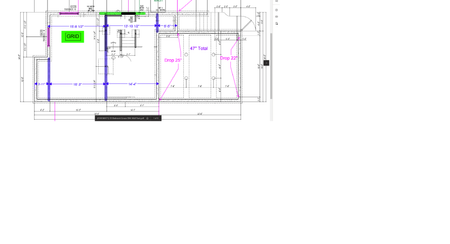
Afternoon. I'm having an issue reading bluebeam Revu PDF with the mobile dropbox app. Opening the pdf using web browser on the cell phone (iphone) or even opening it on desktop app there is no issue, but opening PDF in the mobile dropbox app itself creates yellow Note popups all over the print. I've attached a few pictures for reference. I did find a previous thread about this that said it was corrected for AUTOCAD pdf, but have not found a solution for this. Thanks.2.6KViews0likes11Comments
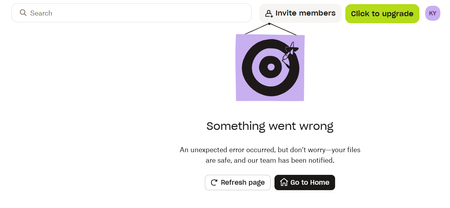
I'm unable to view my files on the web as I'm getting a 'something went wrong' error
Help, I'm unable to view my dropbox files. When I log in, it just keeps displaying the following error message. I've tried on different browsers, incognito mode, different wifi networks. Nothing works. This is getting me real worried.205Views4likes11Comments
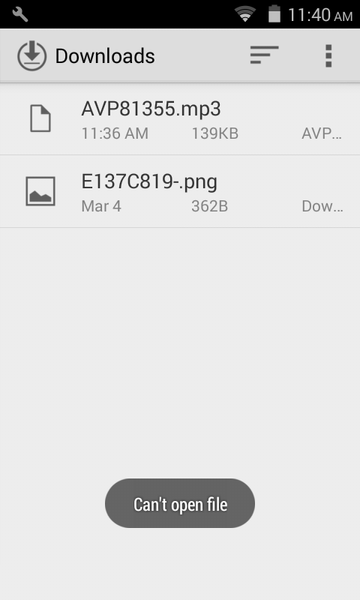
I can't open a file, which I have downloaded from Dropbox using the direct download link
Hi There, In mobiles, I couldn't able to open the downloaded file, which I have downloaded from Dropbox using the direct download link (here is the dummy link for your test - https://www.dropbox.com/s/zsfyc5tulg13630/AVP81355.mp3?dl=1). But the same file can able to access through Dropbox mobile app.Solved26KViews1like15Comments
Is there a way to run the Dropbox app in the background on my iPhone?
Hey everyone, I just switched to an Android from an iPhone. I am facing a feature problem that I loved on my iPhone! Which is, if I open up an audio file from my dropbox app I can just do other stuff on my phone. On android however, it stops playing whenever I switch over to a different app. Is there a way to let it run in the background just like the iPhone? Thanks!3.7KViews1like9Comments
Full screen view navigation on the Meta Quest is no longer working
Hi, The full screen view function of Dropbox on Meta Quest is quite convenient, but there seems to be one drawback: I can't go back and forth between files in the full screen mode. I used to be able to do so in the past by sweeping the blackened area to the right or left, but this functionality seems to be not working anymore. So when I want to view the next or previous file, I first have to quit the full screen mode, go back to the preview mode, choose the next or previous file, and then go back to the full screen mode again, which is a bit frustrating. Am I missing something?1.2KViews0likes3CommentsAutomatically Open Excel Doc in MS Excel in Dropbox
I have uploaded an Excel file that I will only update in Dropbox using MS Office Online. When I open the file I am forced to choose the app Excel from a dropdown menu. Is there a way to tell Dropbox that when I double click on the file to do so directly in MS Excel? Thanks in advanceSolved2.3KViews0likes4CommentsFile details not viewable in Windows 11 File Explorer
I have Dropbox version 152.4.4880 installed on a Windows 11 (21H2 Build 21000.739) desktop. I have "Dropbox system extension" ("store files as online-only to save hard drive space") enabled on that PC . When I go into the Dropbox folder via File explorer and examine a folder customized for music I see zero details in the columns (Title, Artist, Album, etc.). A separate media management app running in Win 11 confirms the metadata is present in the tags with all my music. Also my Win 10 laptop with Dropbox correctly shows all the details in Win 10 File Explorer. Back in Win 11, if I right click any file's properties and select details it shows only "Details are unavailable for the selected file" in place of the details properties pane for files still in the cloud. For files I have opened, to force a download, it shows the details properties pane, but no entry values. Similar behavior is occurring with other files types such as .jpeg Suggestions, anyone? Thanks!4.7KViews0likes10CommentsMobile app crashing on Android, when previewing certain Word docs
Hi. I have a Samsung S22 Ultra (One UI 5.1). Within the past few months, Dropbox (352.2.2) keeps crashing when I open certain word docs. These are files that have been in use for years without issue previously (always on Basic). I've tried making it available offline vs online only, and it doesn't matter. Error reads: "Something went wrong with Dropbox, etc." After enough tries, it tells me to clear the cache, which I do, still crashes. Tried uninstalling, then reinstalling, same issue. Eventually, the phone tells me that it's crashing too much and Dropbox is causing a battery problem, so maybe put it in a deep sleep, which I don't do. I can open a small word doc (22 kb) in the same folder, but not a slightly larger one (56 kb). I can open all of them if exported to Microsoft Word. I can also open them on my Macbook, so the files are not corrupted.2KViews0likes9Comments