Your workflow is unique 👨💻 - tell us how you use Dropbox here.
Forum Discussion

edeyoung75
1 year agoNew member | Level 1
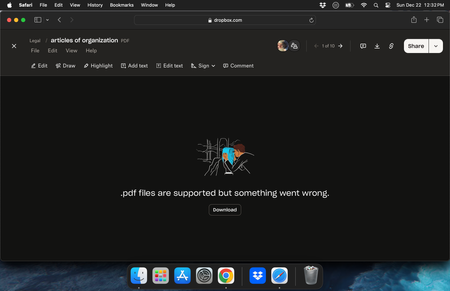
".pdf files are supported but something went wrong" error on website preview
I have tried opening in a different browser, in incognito, and going back in history with no luck... anyone that can help would be nice as I have a bunch of legal files I need to open asap
 1 year ago
It has been resolved as I found the files in an old time machine back up

Mark Super User II
1 year agoSuper User IIedeyoung75 wrote:Please see above screenshot and title
The screenshot shows a preview via the Dropbox website, not, from your computer. So download it and then try and open it. What happens?
edeyoung75
1 year agoNew member | Level 1
Same error
- Mark1 year ago
edeyoung75 wrote:
Same error
Thats impossible.
The error is from your web browsers on the website. That error is only viewable and possible when you view a file direct from the Dropbox site.
If you download to say your desktop and then view it locally it will open up in something like Acrobat or in Chrome but using Chromes own viewers and so will not show up as being at www.dropbox.com.
- edeyoung751 year agoNew member | Level 1
This is the responce when I download it and try to open
- edeyoung751 year agoNew member | Level 1
I also cant open it in Adobe Acrobat
About View, Download, and Export

Get support with viewing, downloading, and exporting files and folders from your Dropbox account.
The Dropbox Community team is active from Monday to Friday. We try to respond to you as soon as we can, usually within 2 hours.
If you need more help you can view your support options (expected response time for an email or ticket is 24 hours), or contact us on X, Facebook or Instagram.
For more info on available support options for your Dropbox plan, see this article.
If you found the answer to your question in this Community thread, please 'like' the post to say thanks and to let us know it was useful!


