Your workflow is unique 👨💻 - tell us how you use Dropbox here.
Forum Discussion

edeyoung75
1 year agoNew member | Level 1
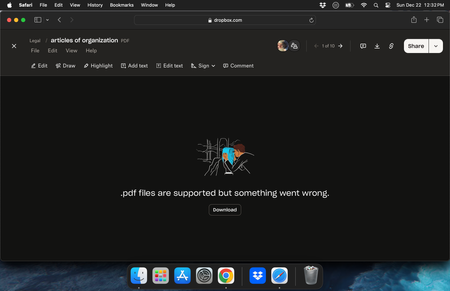
".pdf files are supported but something went wrong" error on website preview
I have tried opening in a different browser, in incognito, and going back in history with no luck... anyone that can help would be nice as I have a bunch of legal files I need to open asap
 1 year ago
It has been resolved as I found the files in an old time machine back up

Mark Super User II
1 year agoSuper User IIedeyoung75 wrote:Same error
Thats impossible.
The error is from your web browsers on the website. That error is only viewable and possible when you view a file direct from the Dropbox site.
If you download to say your desktop and then view it locally it will open up in something like Acrobat or in Chrome but using Chromes own viewers and so will not show up as being at www.dropbox.com.
edeyoung75
1 year agoNew member | Level 1
This is the responce when I download it and try to open
- edeyoung751 year agoNew member | Level 1
I also cant open it in Adobe Acrobat
- Megan1 year ago
Dropbox Community Moderator
Hey edeyoung75, let me jump in here!
Do you remember if you could previously preview these files normally or if the upload was successful when you first added them to Dropbox?
Also, do you remember how you had uploaded them in the first place? Was it through the website, desktop or the mobile app?
- edeyoung751 year agoNew member | Level 1
Yes I had them in a desktop folder on an older computer, then when I stopped using that computer I had everything backed up on Dropbox, however this was today's the only folder I had files backed up in... my other folders have no issue.. and yes iwas able to view them before. Infact, I was able to view them at the beginning of this year
- Nancy1 year ago
Do you have the desktop app installed on your device? If yes, can you locate this file within the local Dropbox folder of your computer? I’d like to see if it'll throw the same error when you try to open it from there instead.
- edeyoung751 year agoNew member | Level 1
Same error when opened on local computer, old and new computer... still other files open that are larger
- Hannah1 year ago
Hey edeyoung75, can you choose an example file to see if you can recover a previous version of it that will preview?
- edeyoung751 year agoNew member | Level 1
I can not, even the available previous file does not open... if i had access to an earlier version... like 2022 I could probably open that
- Hannah1 year ago
Do you only see one version of the file in the version history?
Can you perhaps restore the original version?
- edeyoung751 year agoNew member | Level 1
There is an older version but it's not old enough and has the same error... it would be great to somehow have access to the file that was first uploaded
- Nancy1 year ago
Hi again, edeyoung75. Out of curiosity, and apologies if this is something you’ve already mentioned, are all of these files personal Dropbox PDFs that only you can access or can another user access them, too?
If they are shared indeed, do the members see the same error when opening them? When was the last time they could access them?
- edeyoung751 year agoNew member | Level 1
They are not shared
- edeyoung751 year agoNew member | Level 1
Yes please
- Nancy1 year ago
Hey edeyoung75! Whenever possible, please check your email address; you should have a new message from me. Please go ahead and reply and I’ll investigate this further.
- edeyoung751 year agoNew member | Level 1
Done
- edeyoung751 year agoNew member | Level 1
Still no luck and no reply since my last comment on this ticket
- Nancy1 year ago
Hey edeyoung75, I can see your latest email to our advanced specialist; I’ve left them an internal note to get back to you as soon as possible.
- edeyoung751 year agoNew member | Level 1
It has been resolved as I found the files in an old time machine back up


About View, Download, and Export

Get support with viewing, downloading, and exporting files and folders from your Dropbox account.
The Dropbox Community team is active from Monday to Friday. We try to respond to you as soon as we can, usually within 2 hours.
If you need more help you can view your support options (expected response time for an email or ticket is 24 hours), or contact us on X, Facebook or Instagram.
For more info on available support options for your Dropbox plan, see this article.
If you found the answer to your question in this Community thread, please 'like' the post to say thanks and to let us know it was useful!


