Your workflow is unique 👨💻 - tell us how you use Dropbox here.
Forum Discussion

Jlameyer313
7 years agoExplorer | Level 3
Error message when downloading photos
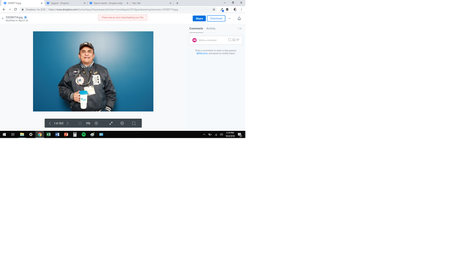
In Chrome, when I click download (in any of the ways) I get an error message at the top that simply says "There was an error downloading your file." No error number either. With Firefox, nothing hap...
- 7 years ago
Thanks Jason - I appreciate it.
I have just sent you an email so we can work on this together. I also went ahead and removed your personal information for your own safety.
Check your inbox for my message when you get the chance and we'll take it from there.
Thanks for your patience and cooperation so far too jasonroy.


Rick_M
7 years agoExperienced | Level 13
It would help to know what file type(s) and file extensions these files have. Also, post part or all of the exact error message as well as the screen shot.
I have had similar problems with .TIF files because they are LARGE.
jasonroy
7 years agoExplorer | Level 3
I'm getting file download errors. I've restarted Dropbox. Restarted computer. We have plenty of memory space. I'm not deliquent in payment. This all started yesterday. HELP PLEASE! We are going to press...Thanks for you time.
- Walter7 years ago
Dropbox Community Moderator
Hey there jasonroy - sorry to hear about this.
Note that I moved your post here since your case seems to be related to this and we've had some similar reports from other users lately too.
Could you take a look at the troubleshooting process we have gone through and let me know the results?
Let me know what you find and we'll take it from there. Thanks!
PS: If you still get the same errors on other browsers and/or incognito or private browsing mode and after having cleared your browsers' cache, please attach a screenshot of the exact error you get so we can have a visual too.
- jasonroy7 years agoExplorer | Level 3
Did all the above tries. Incognito. Other browser. Cache. Restart. New Dropbox App.
Still the same thing.
Now I can't even send you a screenshot. Another error has occurred.
- Walter7 years ago
Sorry to hear this Jason - would it be OK with you if I reached out to the email address you use for your forum's profile to look into this internally and send this to an expert of my team to have a further look into it, if needed?
Let me know and we'll take it from there jasonroy!
- jasonroy7 years agoExplorer | Level 3
Yes. Absolutely.
[Personal information removed for security purposes]
- Walter7 years ago
Thanks Jason - I appreciate it.
I have just sent you an email so we can work on this together. I also went ahead and removed your personal information for your own safety.
Check your inbox for my message when you get the chance and we'll take it from there.
Thanks for your patience and cooperation so far too jasonroy.
About View, Download, and Export

Get support with viewing, downloading, and exporting files and folders from your Dropbox account.
The Dropbox Community team is active from Monday to Friday. We try to respond to you as soon as we can, usually within 2 hours.
If you need more help you can view your support options (expected response time for an email or ticket is 24 hours), or contact us on X, Facebook or Instagram.
For more info on available support options for your Dropbox plan, see this article.
If you found the answer to your question in this Community thread, please 'like' the post to say thanks and to let us know it was useful!


