Your workflow is unique 👨💻 - tell us how you use Dropbox here.
Forum Discussion

Mary Ann B.
2 years agoHelpful | Level 5
I can't open my Excel file, as it has two locations on my Mac
Every since I installed the new Dropbox on my Macbook, the list of where my files are stored in Excel has gone wonky. For example, when I open Excel and look at the list of files I could open, the f...

Walter Dropbox Community Moderator
2 years agoDropbox Community ModeratorHey there Mary Ann B. - sorry to jump in here, but could you send us a screenshot of the options you get when you right click on the file?

Mary Ann B.
2 years agoHelpful | Level 5
Here's what the right click looked like (before I chose 'make available offline' (so I could respond to your message above):
.
- Walter2 years ago
Thanks for the screenshots Mary Ann B. - much appreciated!
Could you try making the file available offline on your computer by selecting the relevant option and let us know if it still gives you an error when opening it from another app, like Excel?
- Mary Ann B.2 years agoHelpful | Level 5
In the step above, I right clicked on the file and selected 'make available offline'. I believe the checkmark within the small green circle to the right of the file name 'spanish vocab' (see screenshot two replies ago) is 'icloud speak" for "available offline". So, now when I right click on the file name, this is what the menu shows:
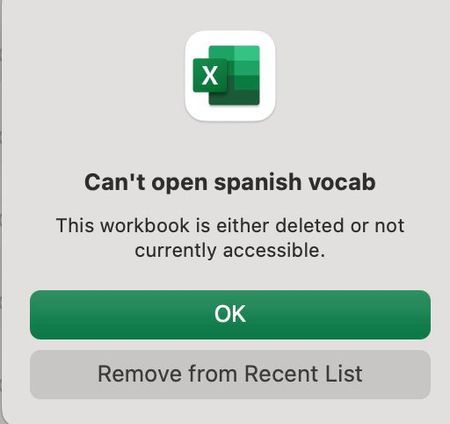
And when I try and open through Excel, I get the same error message. I would like to clarify that I am trying to open the file from the following screen:
If I open the file from the main toolbar using 'File/OpenRecent/spanish vocab', it works! See screenshot below for this manuever.
Confusing! Why one way and not the other?
Thanks for your help.
- Hannah2 years ago
Hmm, pretty strange situation, indeed, Mary Ann.
However, since the file can be opened directly from the Dropbox folder, I don't think it has to do with Dropbox at this point.
I see that the file is pinned in the Excel app, right? If you unpin it and then pin the correct file, what do you see?
If that doesn't work, I think you might need to look into it with Microsoft, to be honest.

About View, Download, and Export

Get support with viewing, downloading, and exporting files and folders from your Dropbox account.
The Dropbox Community team is active from Monday to Friday. We try to respond to you as soon as we can, usually within 2 hours.
If you need more help you can view your support options (expected response time for an email or ticket is 24 hours), or contact us on X, Facebook or Instagram.
For more info on available support options for your Dropbox plan, see this article.
If you found the answer to your question in this Community thread, please 'like' the post to say thanks and to let us know it was useful!


