Need to see if your shared folder is taking up space on your dropbox 👨💻? Find out how to check here.
Forum Discussion

Justin P.2
8 years agoCollaborator | Level 10
Is there a way to choose whether .zip files are previewing on the Dropbox website?
I'm a long time Dropbox user and today I went to check if some older links were still active that I had sent to a cleint.
Most of the files are send out are zipped for various reasons.
It seems that Dropbox will now unzip zipped files in the web browser so the end user can see what's in the zipped file.
Is this true? Is there a way to turn it off? One specfic workflow I use reqiires the zip file to remain zipped and could cause issues if the user has access to an unzipped version, especially on Dropbox.
- Thanks for sharing your thoughts on how this functionality change has impacted your workflow MRMJP, I’d happily follow-up with you on this discussion & I hope my post finds you well!You’re absolutely right when it comes to this recent feature implementation, therefore at the moment when previewing an archive file, you can navigate through the archive file structure and preview individual files within the archive. Previously, compressed files (such as .zip & .rar) couldn’t be viewed on the web interface & in case you had received (or sent) a shared link containing this filetype, you’d (or the recipient would) have to download them locally, in order to view the contents.That all being said, I appreciate the time you’ve devoted in writing us the specifics of how this alteration has worked for you so far & for that reason I’ve made sure to transfer your comments up the ladder for future reference.In any event, please let me know here if you have any more thoughts or questions & I’ll do my best to check back with you. Wishing you a fruitful May & a wonderful rest of the day ahead!

72 Replies
Replies have been turned off for this discussion
 SudoAlex7 years agoNew member | Level 2
Another +1 feedback as this has confused a client that I've sent the link to - "where's the zip file?".
The new feature is useful, but shouldn't be the primary goal when Dropbox encounters a zip file. If I wanted users to download every file individually - I wouldn't have put the files into a zip file in the first place.
- JustinPerkinsME7 years agoNew member | Level 2
This issue is not sovled and it is SUPER ANNOYING.
SEE LINK FOR A COMMENT COMMENT FROM A REAL CLIENT
https://www.dropbox.com/s/o1op1l46nc3ds3w/Screen%20Shot%202018-12-18%20at%202.34.40%20PM.png?dl=0
IT'S CLEAR THAT DROPBOX WILL NOT FIX THIS AND FOR SOME REASON THINKS THIS IS A GOOD IDEA.
 Justin P.27 years agoCollaborator | Level 10
Yet another confused client:
https://www.dropbox.com/s/ug0zeg8bbihhw3t/Screen%20Shot%202018-12-20%20at%207.29.45%20AM.png?dl=0
- brendandekora7 years agoNew member | Level 2
I'd like to add my frustration to this topic for all of the above reasons. Please impliment an option for this asap as it is causing mass confusion and headaches for users and clients.
- sthomas7 years agoNew member | Level 2
I hate to say it, but I'm going to cancel my Dropbox subscription. This ZIP folder issue and lack of reponse by Dropbox has left a bad taste in my mouth for the company. And of course I want to support anyone beside the tech-giants like Google, but honestly, it's a decision based on being able to do my business. You would assume a smaller company like Dropbox would be able to be quick and nimble in terms of finding a solution to such a simple issue like this ZIP behavior but instead it seems like money is spent on marketing and (re)branding instead of optimizing the platform. I hope others who are dealing with this ZIP uploading/downloading issue find a solution quickly, but for me, the time is up and it's time to save money and energy by using a different platform that actually cares about the product they create. Thanks DB community for speaking up, it was nice to hear your voices and know I wasn't alone!
- Justin P.27 years agoCollaborator | Level 10
Hi sthomas, Thanks for your comments and feedback as well.
It really is frustrating how this issue came about and that it's still a thing. I've never had anybody tell me they were glad they could see inside a ZIP file on Dropbox but I regularly get emails from confused clients about why they can see inside the zip but can't download it. Letting the average non-tech user navigate inside the zip on Dropbox.com is just a recipe for confusion.
I've updated my documents for clients to help them not get stuck on this but not everybody reads these things and generally speaking, it's just a poor counter-intutive design that adds no value.
I too have considered leaving Dropbox but I have too many years worth of files wrapped up in it to make a sudden change.
If they don't fix it soon though I am also considering using another service.
I do love many things about Dropbox and using the Dropbox sync app is great vs. having to go to a website, and I HATE EVERYTHING about Google Drive so that's not an option.
I hope Dropbox can see the light here and realize they made a poor choice here and can reverse it or make it significantly better. - Jane7 years ago
Dropbox Staff
Hello again to all following this conversation & apologies for the tardy reply on my end. Since this discussion has remained active for quite some time, I understand that you’d need a viable & practical resolution at this point. For that reason, I’ve collected all your thoughts on my report internally, as I see that this change hasn’t been ideal to you & we aim to provide all Dropbox users the best experience possible.Now, from what I gather after reviewing everything you’ve posted us once again, it’s my understanding that you’d rather have the recipient download your entire compressed folder from a shared link without viewing the entire file structure. That said, I discussed your feedback &/or possible workarounds internally & our team specialists recommend either of the following:🔺 Instead of creating a shared link 🔗 directly to the .zip/.rar file, you could place that file inside of a folder and send a shared link to the folder instead of the file.🔺 You could also make the .zip file itself password protected 🔐, as that would prevent the recipients from previewing the contents of the file and will tell them to download the .zip file instead.This is of course merely our suggestions on how you could go about on this matter. Would you mind giving our recommendations a go whenever you find some spare time & let us know of any additional thoughts & /or questions &/ or feedback? Thanks & I’m looking forward to hearing back from you!  Peter-Paul B.7 years agoHelpful | Level 6
- Peter-Paul B.7 years agoHelpful | Level 6
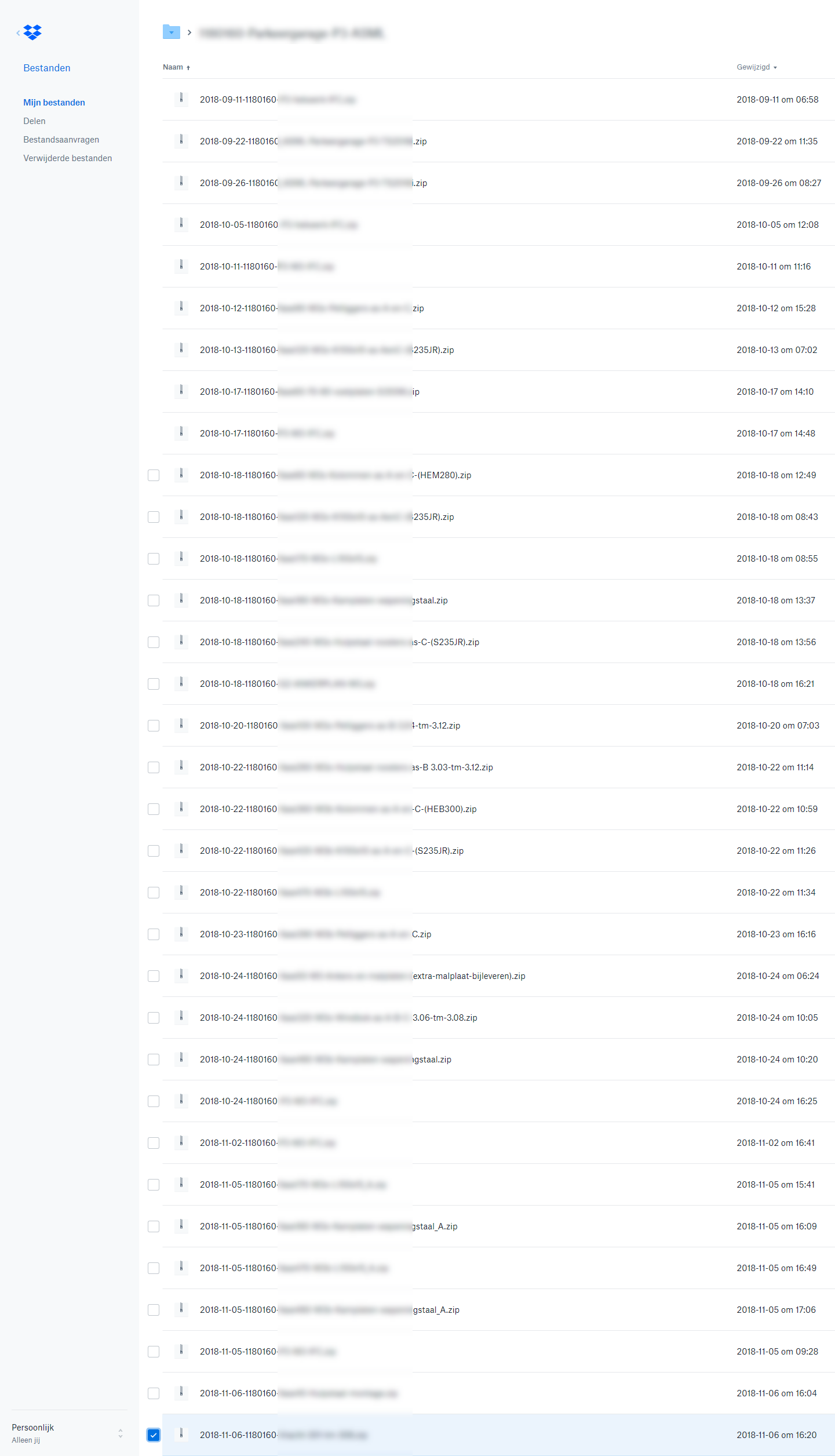
I work with projects and sent download links. The image above is an example of a project.This project contains 133x download links (and counting).
The suggestions as described by Jane won't work for me. A shared folder is for a set of persons/customers and for me the persons will change: who needs what in the project. I set the persons /customers who need the download by e-mail.
The next suggestion for password protect gives questions from customes like: Whats the password? Also not an option for me
Now I manually change download links 0 to 1 but I prefer that Dropbox should that automatically for me.
Hopefully you can do something with this message and have a nice day.
- Justin P.27 years agoCollaborator | Level 10
Hi Jane, Thanks for checking back in.
I can tell you right now that the two options you suggested are not practical, especially when dealing with a high number of zip files every day.
Here is the only reasonsble solution:
1) We generate a link directly to the zip file by right clicking on it in the Mac Finder (or from the website if the user prefers).
2) We email the link to the client
3) When the cleint clicks the link it takes them to a page with a BIG downlaod button that they can't miss. Nothign else. Just a simple way to downlaod the file, like the old days.
4) The page does not tempt them to click inside the zip file and get lost/confusued about how to downlaod or use the file.
5) If anybody needs to see inside the zip file for some reason, this shoud be something that needs to be puposely done in a menu or something that isn't going to lead to confusion for the average person who just wants to download and use the file.
About View, download, and export

Need support with viewing, downloading, and exporting files and folders from your Dropbox account? Find help from the Dropbox Community.
The Dropbox Community team is active from Monday to Friday. We try to respond to you as soon as we can, usually within 2 hours.
If you need more help you can view your support options (expected response time for an email or ticket is 24 hours), or contact us on X, Facebook or Instagram.
For more info on available support options for your Dropbox plan, see this article.
If you found the answer to your question in this Community thread, please 'like' the post to say thanks and to let us know it was useful!


