Need to see if your shared folder is taking up space on your dropbox 👨💻? Find out how to check here.
Forum Discussion

speedijim
6 years agoExplorer | Level 4
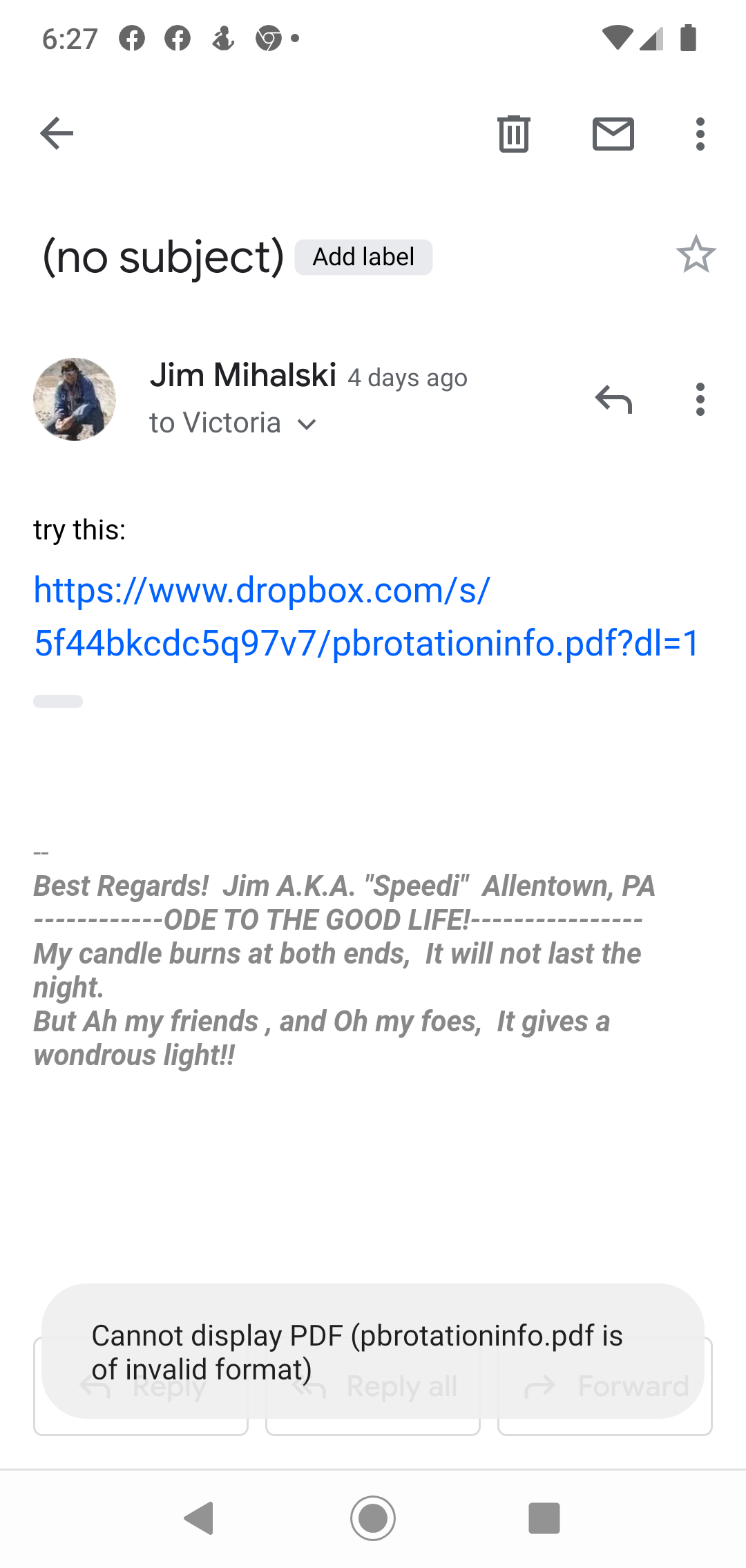
link to a pdf file shows invalid format.
this link shows message " invalid format" on cell phone
https://www.dropbox.com/s/5f44bkcdc5q97v7/pbrotationinfo.pdf?dl=0
Thanks for trying that out for me, speedijim.
If you have a secondary browser on your mobile device, could you also try copying the shared link as it is and pasting it there?
Let me know what you find!

13 Replies
Replies have been turned off for this discussion
- Lusil6 years ago
Dropbox Staff
Hi speedijim, thanks for checking in with us - I'd be more than happy to help!
As a first step, could you send me a screenshot (without any personal info) of the exact error message that you're seeing?
Thanks!
- speedijim6 years agoExplorer | Level 4How do i send that screen shot
- Rich6 years ago
Super User II
Take a screenshot on your device showing the error. You can then use the Photos icon in the Reply window to add the image to your reply here.
That being said, I can open that link on my phone without an issue.
- speedijim6 years agoExplorer | Level 4
- Lusil6 years ago
Thanks for the screenshot, speedijim.
Could it be that you don't have the relevant app to preview the .pdf file?
Could you also copy-pasting the link to your mobile's browser, but replace the "1" with a "0" to preview it instead of downloading it?
Let me know how it goes!
- speedijim6 years agoExplorer | Level 4I open many pdf files on my android phone. I have tried the link with a "0" and a "1". Neither works. That is why I am seeking help here... Jim
- Lusil6 years ago
Thanks for trying that out for me, speedijim.
If you have a secondary browser on your mobile device, could you also try copying the shared link as it is and pasting it there?
Let me know what you find!
- speedijim6 years agoExplorer | Level 4Ms edge did open the pdf.... But individuals that access this file will only have Chrome installed...
Thanks - Lusil6 years ago
Thanks for trying that out for me, speedijim.
Could you send me a screenshot (without any personal info) of what you see when you copy the link, replace dl=0, and paste it to your primary browser to preview it?
Have you also tried previewing other shared link of a .pdf file by any chance?
Keep me posted!
- speedijim6 years agoExplorer | Level 4I copied the link and pasted it into Chrome. It worked but first asked me to install Dropbox. Or go directly to the site. Going directly opened the pdf...

About View, download, and export

Need support with viewing, downloading, and exporting files and folders from your Dropbox account? Find help from the Dropbox Community.
The Dropbox Community team is active from Monday to Friday. We try to respond to you as soon as we can, usually within 2 hours.
If you need more help you can view your support options (expected response time for an email or ticket is 24 hours), or contact us on X, Facebook or Instagram.
For more info on available support options for your Dropbox plan, see this article.
If you found the answer to your question in this Community thread, please 'like' the post to say thanks and to let us know it was useful!


