Your workflow is unique 👨💻 - tell us how you use Dropbox here.
Forum Discussion

Richardo
1 year agoExplorer | Level 4
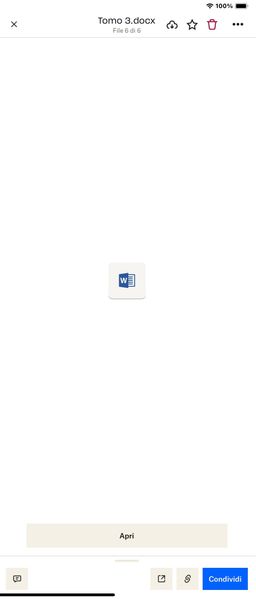
My .docx can't be previewed when using my iPad or iPhone.Is it too long, and why is this happening?
Hi everyone, sorry for the outburst, but it's absurd that an application like Dropbox has such a significant limit for those who work with word files of over 1000 pages. In my case, I have a file of ...

Noleafcloverx
1 year agoExplorer | Level 3
I have a word document that I have uploaded to dropbox that is 1.9MB in size. It is approximately 600 pages, but I can't open it in dropbox. It tells me that "docx files are supported and we don't know what went wrong." I can open the file locally just fine using microsoft word. What's going on?
Also if I turn the document into a PDF file I can open it, but then I can't edit it...
- Nancy1 year ago
Dropbox Community Moderator
Hi Noleafcloverx, and welcome to our forum!
Is there any chance the document is 190MB and not 1.9MB? If yes, then the size of the file would be the issue (the current limit is 160MB).
If not, can you test this via a different browser/incognito mode and let me know if the same error appears?
Finally, even if you can’t preview the file on Dropbox, there may still be an option to open and edit it. Can you check if you can do this? You can also send me a screenshot, if you prefer.
Keep me posted.
- Noleafcloverx1 year agoExplorer | Level 3
Here is a screenshot:
I've tried it on 2 different computers and also in incognito/private mode and this is the result each time:
 BenDBX1 year ago
Community Manager
Hi Everybody,
Thanks for reporting this. I've brought this to the attention of our engineering team who is currently investigating. We will post here when we have an update.
Regards,
Ben

About View, Download, and Export

Get support with viewing, downloading, and exporting files and folders from your Dropbox account.
The Dropbox Community team is active from Monday to Friday. We try to respond to you as soon as we can, usually within 2 hours.
If you need more help you can view your support options (expected response time for an email or ticket is 24 hours), or contact us on X, Facebook or Instagram.
For more info on available support options for your Dropbox plan, see this article.
If you found the answer to your question in this Community thread, please 'like' the post to say thanks and to let us know it was useful!


