Your workflow is unique 👨💻 - tell us how you use Dropbox here.
Forum Discussion

Richardo
1 year agoExplorer | Level 4
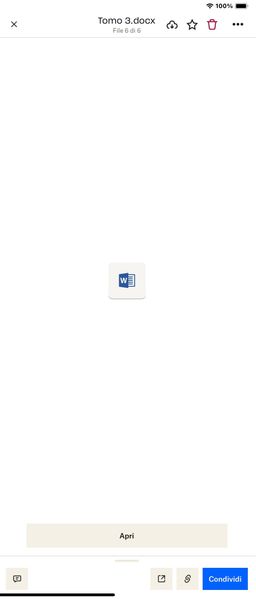
My .docx can't be previewed when using my iPad or iPhone.Is it too long, and why is this happening?
Hi everyone, sorry for the outburst, but it's absurd that an application like Dropbox has such a significant limit for those who work with word files of over 1000 pages. In my case, I have a file of ...

Megan Dropbox Community Moderator
1 year agoDropbox Community ModeratorHey Richardo, let's jump right into this!
Do you notice this behavior, only with these two specific files or with others files too?
Also, if you try to open the content using Microsoft Word and preview it there, does that work? Do you have the Word app installed locally on your iPhone & iPad?
Let me know more, and we'll take it from there!

Richardo
1 year agoExplorer | Level 4
Sorry, you no longer gave me an answer, much less a solution. She didn't even tell me if she reported the problem to the developers, if anything is being done to investigate the problem, nothing at all. Could you help me please? This is a big change to DropBox, it makes no sense to set a limit of 160 MB if you can't open simple 30 MB files, just because they have so many words or pages. It is obvious that your 160 MB of files are equivalent to millions of words, you had to calculate this too, otherwise what is the point of setting these limits. I would appreciate a reply, thanks.
About View, Download, and Export

Get support with viewing, downloading, and exporting files and folders from your Dropbox account.
The Dropbox Community team is active from Monday to Friday. We try to respond to you as soon as we can, usually within 2 hours.
If you need more help you can view your support options (expected response time for an email or ticket is 24 hours), or contact us on X, Facebook or Instagram.
For more info on available support options for your Dropbox plan, see this article.
If you found the answer to your question in this Community thread, please 'like' the post to say thanks and to let us know it was useful!


