Your workflow is unique 👨💻 - tell us how you use Dropbox here.
Forum Discussion

GPaul
2 months agoHelpful | Level 5
My local files won't open. I can see them in the Dropbox folder, but can't preview them.
Unable to access my files on DropBox!
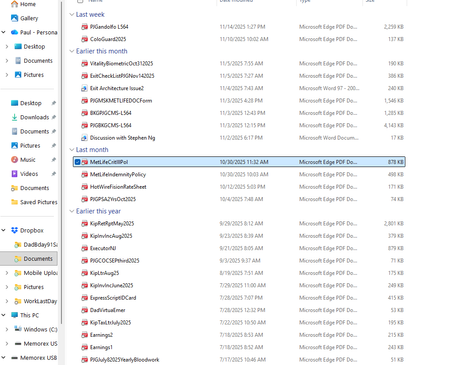
Have had a DB account shared between a work laptop + my personal laptop (both Win 11 + fairly new) for quite some time. Recently retired-Work laptop went away...
 2 months ago
Folks-
Thought I replied already-but it seems not. Anyway-thanks very much to you all for all the help, it seems the problem has been resolved.
GPaul
2 months agoHelpful | Level 5
Megan-
Many thanks for continuing to try and help.
I guess my question about upgrading so I get another level of support, was just to CONFIRM I'd be able to talk on the phone with someone real time, share screens, possibly get more granular in trying to figure out what's wrong here.
Below I have attached my WIndows UAC settings-please let me know if you think they are correct or not.
I did not even understand this statement (again sorry) you asked about
"Lastly, do you notice the same behavior when you try to open your files after you temporarily quit the Dropbox desktop app? "
Stated another way-HOW do I temporarily quit the desktop app ?
Also-I did not feel comfortable with my current level of understanding with performing some of the 'steps' in that link you provided. I think I'd need better instructions, someone on the phone, sharing screens, etc before I would attempt that on my own. I am somewhat concerned about making an already very bad situation worse.

Megan Dropbox Community Moderator
2 months agoDropbox Community ModeratorHey again GPaul!
Phone support is only available to Business customers. However, if you choose one of our individual plans, you should be able to chat live with our support agents.
Now in regards to your Windows UAC levels, and based on the screenshot it looks like they're set to default. Therefore I'd encourage you to proceed with the rest of the steps, such as uninstalling the app, and reinstalling it anew.
Also, I suggested quitting the app to see if the behavior and error you see will remain the same when you do. You should be able to click your little Dropbox icon in your taskbar, next to your WiFi. Then click your avatar (photo or initials) in the bottom-left corner, and then click Quit.
About View, download, and export

Need support with viewing, downloading, and exporting files and folders from your Dropbox account? Find help from the Dropbox Community.
The Dropbox Community team is active from Monday to Friday. We try to respond to you as soon as we can, usually within 2 hours.
If you need more help you can view your support options (expected response time for an email or ticket is 24 hours), or contact us on X, Facebook or Instagram.
For more info on available support options for your Dropbox plan, see this article.
If you found the answer to your question in this Community thread, please 'like' the post to say thanks and to let us know it was useful!


