Your workflow is unique 👨💻 - tell us how you use Dropbox here.
Forum Discussion

Lorenzo09
4 years agoHelpful | Level 6
Unexpectedly syncing an enormous amount of files and constant crashing
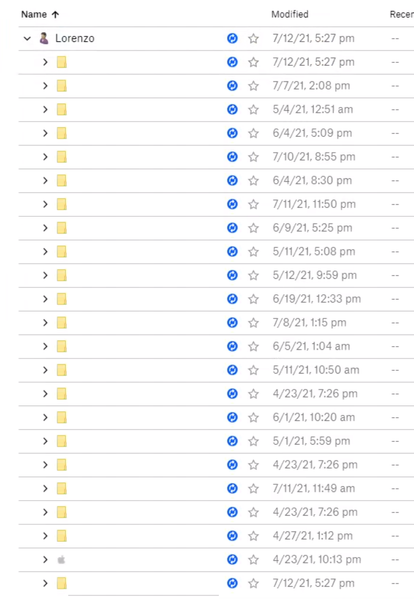
TL;DR - Many files seem to be indexing for no reason, some seem to be downloading locally, dropbox app is crashing every 5 minutes, I've tried most of the troubleshooting techniques, and have no solu...
 4 years ago
I seem to have solved my issues. Here's how it was done;
- I deleted one of my huge folders that was taking up a lot of the file count (3+ million files - all online only)
- I unlinked and relinked Dropbox
- I Selective Synced all but that one folder
- Dropbox is stable again!!!
Thanks to all the Dropbox staff that helped out.
Lorenzo09
4 years agoHelpful | Level 6
Update: Dropbox is now just "syncing" with no specific messages, errors, or status. I really am stumped and don't know what to do.

Jay Dropbox Community Moderator
4 years agoDropbox Community ModeratorHi Lorenzo09, thanks for taking the time to message us!
I'd recommend contacting the support team directly for them to investigate this matter in more detail on their end.
Once you get a ticket ID from the automated response, please let me know the number here so I can locate it in our system!
I'd recommend contacting the support team directly for them to investigate this matter in more detail on their end.
Once you get a ticket ID from the automated response, please let me know the number here so I can locate it in our system!
- Lorenzo094 years agoHelpful | Level 6
I seem to have solved my issues. Here's how it was done;
- I deleted one of my huge folders that was taking up a lot of the file count (3+ million files - all online only)
- I unlinked and relinked Dropbox
- I Selective Synced all but that one folder
- Dropbox is stable again!!!
Thanks to all the Dropbox staff that helped out. josh123454 years agoNew member | Level 2
So the problem was that Dropbox choked on 3 million files. Good to know. I'll be looking elsewhere for a better solution.
- Lorenzo094 years agoHelpful | Level 6
It seems to be a problem with the Computer's File System more than anything. Dropbox on the Web works just fine with my now 5+ million files spanning over 19 TB.
 toomanyjoes2 years agoNew member | Level 2
I have the same issue, but I don't understand how deleting your files is an acceptable solution??
- Nancy2 years ago
toomanyjoes, from what I see, the given solution doesn't refer to deleting a large folder altogether, but rather selectively syncing it.
Selective sync removes entire folders from the desktop app, but they're still available on your Dropbox account online. This is because the Dropbox app may face various performance issues after syncing about 300k files.

About View, Download, and Export

Get support with viewing, downloading, and exporting files and folders from your Dropbox account.
The Dropbox Community team is active from Monday to Friday. We try to respond to you as soon as we can, usually within 2 hours.
If you need more help you can view your support options (expected response time for an email or ticket is 24 hours), or contact us on X, Facebook or Instagram.
For more info on available support options for your Dropbox plan, see this article.
If you found the answer to your question in this Community thread, please 'like' the post to say thanks and to let us know it was useful!


