Need to see if your shared folder is taking up space on your dropbox 👨💻? Find out how to check here.
Forum Discussion

blehhhh32
2 years agoNew member | Level 2
Dropbox Backup: Why is it impossible to disable?
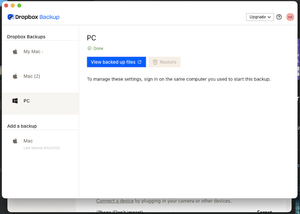
As far as I can find, there's one (and only one) place where Backup settings can be modified -- where you can choose to disable a particular desktop backup -- and that's in my Dropbox Preferences on ...

Nrs_Schubby
2 years agoExplorer | Level 3
In setting, security it says I do not have any devices linked.

Hannah Dropbox Community Moderator
2 years agoDropbox Community ModeratorHey Nrs_Schubby, if you disconnected the computer in question from your Dropbox, what do you see in your backups page about this computer?
- Nrs_Schubby2 years agoExplorer | Level 3
Hi,
I see the backup of the computer in question and if I want to delete that I get a pop up showing me to open the desktop app on that computer or click "I don't have access". If I click that, I am guided on how to unlink the computer. This used to throw an error, but now it seems to have worked!! thanks all!
- Hannah2 years ago
Happy to hear that, Nrs_Schubby!
If you need anything else, please let us know.
Have a great weekend!
About Delete, edit, and organize
Solve issues with deleting, editing, and organizing files and folders in your Dropbox account with support from the Dropbox Community.
The Dropbox Community team is active from Monday to Friday. We try to respond to you as soon as we can, usually within 2 hours.
If you need more help you can view your support options (expected response time for an email or ticket is 24 hours), or contact us on X, Facebook or Instagram.
For more info on available support options for your Dropbox plan, see this article.
If you found the answer to your question in this Community thread, please 'like' the post to say thanks and to let us know it was useful!


