Need to see if your shared folder is taking up space on your dropbox 👨💻? Find out how to check here.
Forum Discussion

Nick K.19
2 years agoExplorer | Level 4
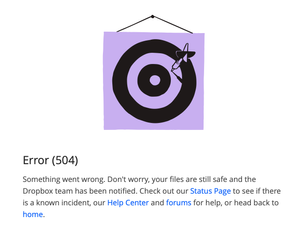
Error (504) when trying to restore a file
I have tried different browsers and incognito mode. Any other suggestions? I can navigate the rest of Dropbox's site just fine, this only happens when I try to restore a file to a previous ...

Walter Dropbox Community Moderator
2 years agoDropbox Community ModeratorHi there Di12 - sorry to hear you're having issues with this.
Could you clarify if you'e getting this error when restoring from the deleted files page or the events page or both?
If possible, can you send us a full page screenshot of the exact error you're getting?

Di12
2 years agoExplorer | Level 3
Restoring a previous version from the versions history page. Have tried on several computers, and even had someone with access to the folder from a different account try. So it is 100% not client side.
We can create new files and then restore correctly, but this is a file that has been versioned many times over a long time. Screenshot attached.
- Walter2 years ago
Thanks for the screenshot Di12
May I ask if the version of the file you're trying to restore is within your account's version history?
- Di122 years agoExplorer | Level 3
yes of course... that's how I'm getting the 504 error. It is top of the list version from yesterday.
About Delete, edit, and organize
Solve issues with deleting, editing, and organizing files and folders in your Dropbox account with support from the Dropbox Community.
The Dropbox Community team is active from Monday to Friday. We try to respond to you as soon as we can, usually within 2 hours.
If you need more help you can view your support options (expected response time for an email or ticket is 24 hours), or contact us on X, Facebook or Instagram.
For more info on available support options for your Dropbox plan, see this article.
If you found the answer to your question in this Community thread, please 'like' the post to say thanks and to let us know it was useful!


