Your workflow is unique 👨💻 - tell us how you use Dropbox here.
Forum Discussion

any_
7 months agoNew member | Level 2
Don't see 'Sync now' option to prioritise which files sync first
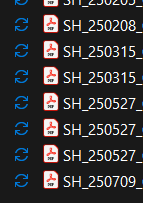
URGENT help please! Don't see 'sync now' option to prioritise which files sync first. (There's another conversation with the same title, but dicussions have been close, so can't commet there, had to...

any_
7 months agoNew member | Level 2
It's now indexing a whole lot more files... nothing I changed, all due to this Windows update and correspondent dropbox adjustment.
It's going to take forever. I need to prioritize what to sync first, I'm having a lot of difficulty working today!! 😥

Hannah Dropbox Community Moderator
7 months agoDropbox Community ModeratorHey any_ , I hope it's okay to jump in here as well.
If I understand correctly, you've had an update on your Windows computer and your Dropbox app is updating to the new version of Dropbox for Windows as well, right?
If that's the case, then it would make sense why "Sync now" isn't available in the context menu.
Since I understand that you would like to prioritize specific content, although it's not what you've been looking for, it might be worth using our selective sync feature for the time being, through which you can choose which folders you would like to sync on your device.
Feel free to reach back out if you have any follow-up questions, and thank you for the time you've dedicated on this.
About Create, Upload, and Share
Find help to solve issues with creating, uploading, and sharing files and folders with Dropbox.
The Dropbox Community team is active from Monday to Friday. We try to respond to you as soon as we can, usually within 2 hours.
If you need more help you can view your support options (expected response time for an email or ticket is 24 hours), or contact us on X, Facebook or Instagram.
For more info on available support options for your Dropbox plan, see this article.
If you found the answer to your question in this Community thread, please 'like' the post to say thanks and to let us know it was useful!


