Your workflow is unique 👨💻 - tell us how you use Dropbox here.
Forum Discussion

DenverDTS
2 years agoExplorer | Level 4
Move folder option is not available
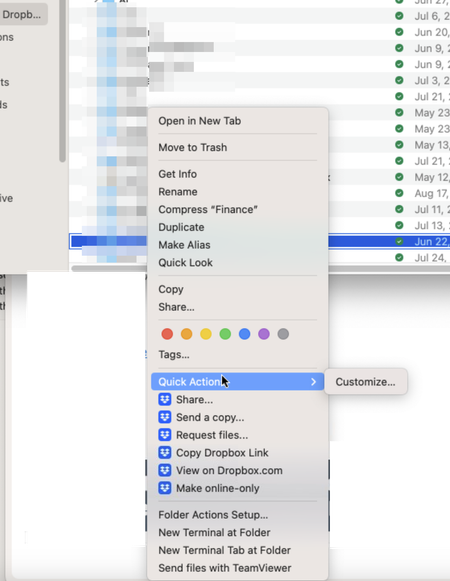
End users can't move files or folders. One of the folders is private, but no option to share other than via link. Want to move folders to the root of the company directory and share out with specific...

DenverDTS
2 years agoExplorer | Level 4
Checked both. No option to Move files.

Walter Dropbox Community Moderator
2 years agoDropbox Community ModeratorIn that case, could it be that your team's admin has disabled top level editing?
Let us know when you get the chance, Lance.
- DenverDTS2 years agoExplorer | Level 4
If that is the case, would private folders be included in that setting as well?
- DenverDTS2 years agoExplorer | Level 4
That option is enabled.
- Walter2 years ago
Thanks for the additional information, Lance - much appreciated.
As for your concern, this setting wouldn't affect private folders.
May I ask if the user who's having this issue has granted full disk access to Dropbox as outlined here?
While we're at it, do they get the option to move the folder on our website?
- DenverDTS2 years agoExplorer | Level 4
I do think this is Mac issue as when I login to the account via a Windows machines, all options are available via the web interface.

About Create, Upload, and Share
Find help to solve issues with creating, uploading, and sharing files and folders with Dropbox.
The Dropbox Community team is active from Monday to Friday. We try to respond to you as soon as we can, usually within 2 hours.
If you need more help you can view your support options (expected response time for an email or ticket is 24 hours), or contact us on X, Facebook or Instagram.
For more info on available support options for your Dropbox plan, see this article.
If you found the answer to your question in this Community thread, please 'like' the post to say thanks and to let us know it was useful!


