Our Community is in read-only mode until April 8th, learn more here. You can still search existing threads or get help via Dropbox Support, the Dropbox Help Center, or Learn.
Forum Discussion

KROSJ
4 months agoExplorer | Level 4
Some new folders/files on desktop version of Dropbox aren’t showing in Dropbox.com
Device Apple M2 Max Operating System/Browser (if using the web) Sequoia 15.6.1, Safari 18.6 Dropbox App Version (if using the app) Can't find App Version - using file provider Syncing Status U...

Megan Dropbox Community Moderator
4 months agoDropbox Community ModeratorHey KROSJ, let's jump right into this!
When did you first notice this syncing issue? Also, would you mind clarifying which app version you currently have installed, along with the app's syncing status?
You can find both by hovering your mouse over the little Dropbox icon in your menu bar next to your WiFi. I can see that it states that all files are up to date, I just need to make sure the little icon reports the same.
One more thing: can you try signing out of the desktop app, and then sign back in? Does the behavior remain the same?
Let me know more, and we'll take it from there!

KROSJ
4 months agoExplorer | Level 4
Thank you, Megan!
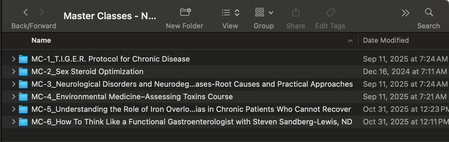
I first started noticing this when my Mac was updated to the version of Sequoia that did not allow Dropbox on an external drive that was not encrypted. It's been ongoing for approximately a month. It's been very frustrating as I have WAY more files takeing up space than my small 2 TB drive in my Max. I use a RAID enclosure with a partition that has 20 TB of storage. Dropbox is using the Dropbox on File Provider, which is the only way I can use Dropbox on my Mac due to the need for an encrypted external drive. I have the screenshot of the app version and syncing status attached.
About Create, Upload, and Share
Find help to solve issues with creating, uploading, and sharing files and folders with Dropbox.
The Dropbox Community team is active from Monday to Friday. We try to respond to you as soon as we can, usually within 2 hours.
If you need more help you can view your support options (expected response time for an email or ticket is 24 hours), or contact us on X, Facebook or Instagram.
For more info on available support options for your Dropbox plan, see this article.
If you found the answer to your question in this Community thread, please 'like' the post to say thanks and to let us know it was useful!


