Our Community is in read-only mode until April 8th, learn more here. You can still search existing threads or get help via Dropbox Support, the Dropbox Help Center, or Learn.
Forum Discussion

KROSJ
4 months agoExplorer | Level 4
Some new folders/files on desktop version of Dropbox aren’t showing in Dropbox.com
Device Apple M2 Max Operating System/Browser (if using the web) Sequoia 15.6.1, Safari 18.6 Dropbox App Version (if using the app) Can't find App Version - using file provider Syncing Status U...

KROSJ
4 months agoExplorer | Level 4
Also since this is happening, I can copy folders from my dropbox folder to other folders on other drives with out an 8062 error on my mac
- Megan4 months ago
Dropbox Community Moderator
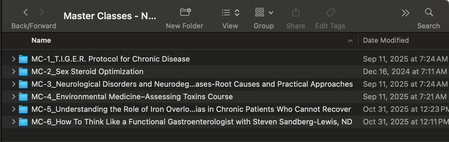
Hey KROSJ, great job on the screenshots, thanks for that!
So it seems the app is currently indexing files. Does the number there remain the same, or is it going down?
Do you have any proxy, VPN, firewall, security software, or even ISP/router settings that could be restricting traffic to the following Dropbox domains?
If you do, try temporarily disabling those, to see if that helps.
Also, have you tried fixing your hard-links and permissions as outlined here?
I’d also like you to right-click on your local Dropbox folder directly, select “Get info” and send me a screenshot of the next window you’ll see.


About Create, Upload, and Share
Find help to solve issues with creating, uploading, and sharing files and folders with Dropbox.
The Dropbox Community team is active from Monday to Friday. We try to respond to you as soon as we can, usually within 2 hours.
If you need more help you can view your support options (expected response time for an email or ticket is 24 hours), or contact us on X, Facebook or Instagram.
For more info on available support options for your Dropbox plan, see this article.
If you found the answer to your question in this Community thread, please 'like' the post to say thanks and to let us know it was useful!


