Your workflow is unique 👨💻 - tell us how you use Dropbox here.
Forum Discussion

MikeLV
4 years agoExplorer | Level 4
Dropbox app won't start on M1 Mac running Big Sur
I just got a new MacBook Air M1 running BigSur. Dropbox does show up in the Finder sidebar and it appears the Dropbox files and folders on my Mac have synced with Dropbox.com. However the dropbox i...
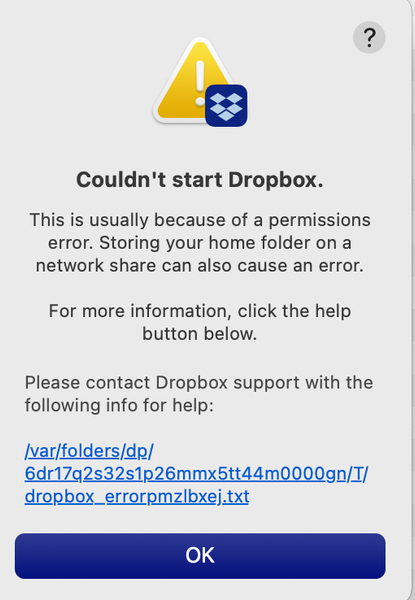
- 4 years agoThanks for providing the full error-log MikeLV.
Could you please try an advanced reinstall with admin privileges and let me know how it goes?
While at it, please make sure that there's no antivirus or firewall that might be causing issues.
Keel me posted with your progress!


About Apps and Installations
Have a question about a Dropbox app or installation? Reach out to the Dropbox Community and get solutions, help, and advice from members.
The Dropbox Community team is active from Monday to Friday. We try to respond to you as soon as we can, usually within 2 hours.
If you need more help you can view your support options (expected response time for an email or ticket is 24 hours), or contact us on X, Facebook or Instagram.
For more info on available support options for your Dropbox plan, see this article.
If you found the answer to your question in this Community thread, please 'like' the post to say thanks and to let us know it was useful!


