Your workflow is unique 👨💻 - tell us how you use Dropbox here.
Forum Discussion

Peter66
2 years agoExplorer | Level 3
error message after installation of the Dropbox desktop app
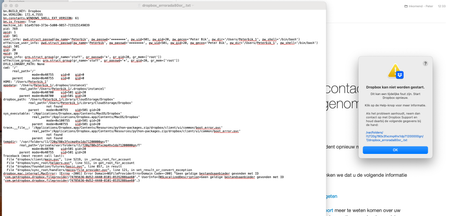
After the installation on my new mac I get an error message.
- 2 years ago
Okay, so I figured it out and found a work around. Once I downloaded Dropbox to my Mac I would select it and continually gave me an error message (which is posted above). I uninstalled and reinstalled multiple times and continued to have this issue. It wouldn't let me select anything once the error presented its self. So the work around was once it attempted to load I would click on the Dropbox symbol in menu bar and before it gave me an error I would select the preferences. It appeared that an old Dropbox account was still logged in. Therefore, I logged out and from there it allowed me to input my Dropbox details and connect my Mac to the Dropbox app. I am not sure what cause this issue but maybe the team can offer some insight. All I know is I found away around the error message and got the Dropbox app to work. Hope this helps others in the future.

RexVex
2 years agoHelpful | Level 6
Okay, so I figured it out and found a work around. Once I downloaded Dropbox to my Mac I would select it and continually gave me an error message (which is posted above). I uninstalled and reinstalled multiple times and continued to have this issue. It wouldn't let me select anything once the error presented its self. So the work around was once it attempted to load I would click on the Dropbox symbol in menu bar and before it gave me an error I would select the preferences. It appeared that an old Dropbox account was still logged in. Therefore, I logged out and from there it allowed me to input my Dropbox details and connect my Mac to the Dropbox app. I am not sure what cause this issue but maybe the team can offer some insight. All I know is I found away around the error message and got the Dropbox app to work. Hope this helps others in the future.

beatriz5
2 years agoNew member | Level 2
I had the same problem and it worked, thank you so much
About Apps and Installations
Have a question about a Dropbox app or installation? Reach out to the Dropbox Community and get solutions, help, and advice from members.
The Dropbox Community team is active from Monday to Friday. We try to respond to you as soon as we can, usually within 2 hours.
If you need more help you can view your support options (expected response time for an email or ticket is 24 hours), or contact us on X, Facebook or Instagram.
For more info on available support options for your Dropbox plan, see this article.
If you found the answer to your question in this Community thread, please 'like' the post to say thanks and to let us know it was useful!


