Your workflow is unique 👨💻 - tell us how you use Dropbox here.
Forum Discussion

royd1000
7 years agoExplorer | Level 4
import a document from word to paper
Hello, I think I had this usefull feature before and i can't find it now. How do I import a word document to paper ? Thanks
- 7 years agoWhile the "Import doc" feature on Paper home 🏠 has been temporarily disabled, you can still insert any file into Dropbox Paper. Please do let me know here in case you have any additional questions after having a look at resource I linked above & I’ll do my best to check back with you. Take care & happy 📝 editing until we talk again!
jewl
6 years agoExplorer | Level 4
Not the previous poster, but I have the same question.
When I insert the file in the paper document and then select the "Open" button I have other options but not paper:
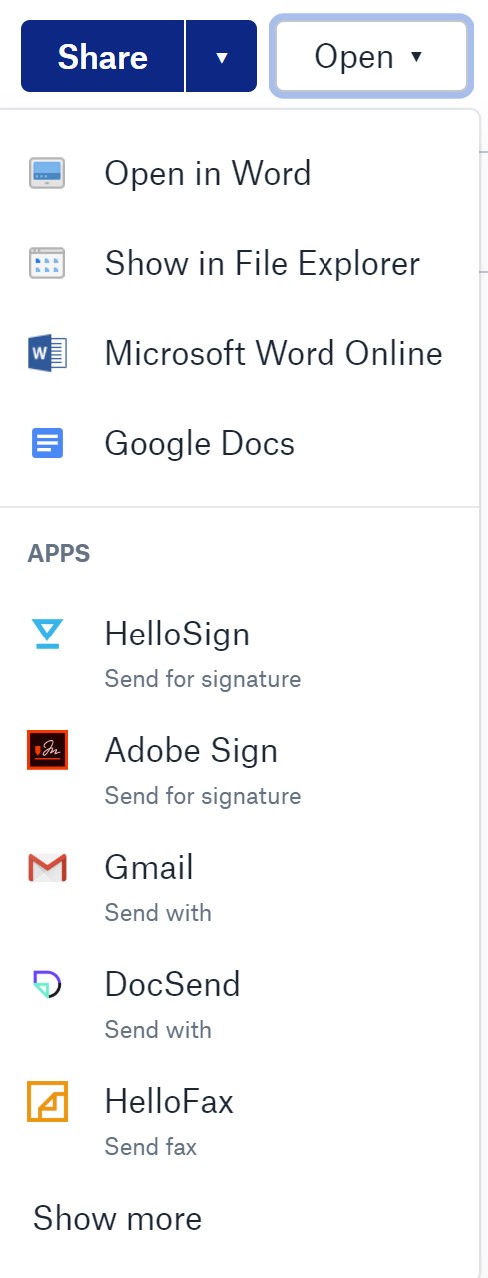
Also I do have a "keyboard shortcuts" icon next to the ? icon in the bottom right corner of the paper document.
I would love to use paper instead of word, but this is the one thing I'd want to be able to do - if paper could import and export a docx as easily as with google docs (maintain formatting, headings), I'd go with paper no question. Otherwise I'll stick with the current system.

Jane Dropbox Staff
6 years agoDropbox StaffHey jewl, thanks for joining the discussion here!
Rephrasing from my previous message, you may have to fine-tune formatting along the way as you import your docs to Paper, however I understand that you'd like to automate that as much as possible.
While we’ve explored how to use all features currently available, it looks like editing existing docs in Paper is important to you, so I’d encourage you to post your thoughts on the Paper Ideas section. Other Community members could be aligned & upvote your post there to show their support.
Please let me know if you need further assistance from me in any way & I’ll follow-up soon.
Thanks again!
About Apps and Installations
Have a question about a Dropbox app or installation? Reach out to the Dropbox Community and get solutions, help, and advice from members.
The Dropbox Community team is active from Monday to Friday. We try to respond to you as soon as we can, usually within 2 hours.
If you need more help you can view your support options (expected response time for an email or ticket is 24 hours), or contact us on X, Facebook or Instagram.
For more info on available support options for your Dropbox plan, see this article.
If you found the answer to your question in this Community thread, please 'like' the post to say thanks and to let us know it was useful!


