Your workflow is unique 👨💻 - tell us how you use Dropbox here.
Forum Discussion

doppyjoe
2 years agoHelpful | Level 5
Logic Pro files disappearing
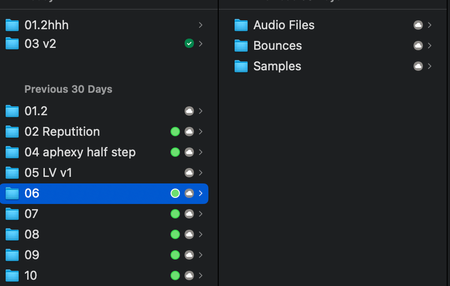
I got a new macbook (M2) and migrated from my old macbook (2019 intel). Initially I set all of my dropbox folders to online only so I could then manually select what I wanted to keep local. ...

Hannah Dropbox Community Moderator
2 years agoDropbox Community ModeratorThanks, mtritter!
Would you mind clicking on the Dropbox icon in your menu bar, then on your initials/profile pic, then on 'preferences' and then on 'sync', to see the location of the Dropbox folder on your computer?
Is it in ~/Library/CloudStorage?

mtritter
2 years agoExplorer | Level 3
On one computer it does say that, on the other it doesn't.
the machine with Ventura 13.3.1 says the Dropbox folder is required to be in "~/Library/CloudStorage"
the machine with Ventura 13.6 says it's just in "Dropbox".
I'm going to get the operating systems in sync and see if this helps.

About Integrations
Get help with third-party integrations from the Dropbox Community.
The Dropbox Community team is active from Monday to Friday. We try to respond to you as soon as we can, usually within 2 hours.
If you need more help you can view your support options (expected response time for an email or ticket is 24 hours), or contact us on X, Facebook or Instagram.
For more info on available support options for your Dropbox plan, see this article.
If you found the answer to your question in this Community thread, please 'like' the post to say thanks and to let us know it was useful!


