Your workflow is unique 👨💻 - tell us how you use Dropbox here.
Forum Discussion

BCC_Admin
1 month agoNew member | Level 2
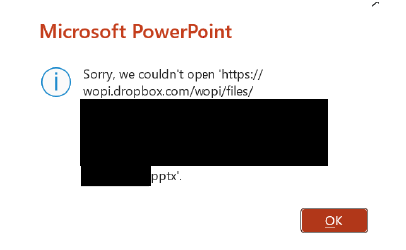
Microsoft Office files won't open for a specific user with an error
Integration Affected
Microsoft Office Device
Surface Laptop 5 Operating System/Browser (if using the web)
Windows 11 Dropbox App Version (if using the app)
238.4.6075
Question o...

Hannah Dropbox Community Moderator
1 month agoDropbox Community ModeratorThanks for bringing this to our attention, BCC_Admin.
Just to make sure I have this right, is your employee having this issue in their local Dropbox folder or our website?
If it's the Dropbox folder, can they quit the app and then try to open the file and see if it opens while the app is closed?
Also, how many characters long is the file path? Is it below 260 characters?
If not, can they move it somewhere closer to their main Dropbox folder to see if helps?
Let me know how it goes!
About Integrations
Get help with third-party integrations from the Dropbox Community.
The Dropbox Community team is active from Monday to Friday. We try to respond to you as soon as we can, usually within 2 hours.
If you need more help you can view your support options (expected response time for an email or ticket is 24 hours), or contact us on X, Facebook or Instagram.
For more info on available support options for your Dropbox plan, see this article.
If you found the answer to your question in this Community thread, please 'like' the post to say thanks and to let us know it was useful!


