Your workflow is unique 👨💻 - tell us how you use Dropbox here.
Forum Discussion

DebraV
2 years agoHelpful | Level 6
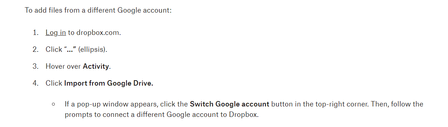
Where do find "Activity" and the "..." to import from Google Drive?
Not sure I am in the right category but....
I have a google sheets doc that somehow I have saved to my google drive account by mistake. When i look for instructions to move it to Dropbox I keep get...

Jay Dropbox Community Moderator
2 years agoDropbox Community ModeratorIf you visit the homepage, try clicking the cog icon next to 'All files' and then 'Add from Google Drive'.
Note that any Google doc files would generally be stored on Google servers, for files created on Dropbox, so I'm not certain how your Sheets file would be handled after importing it.

DebraV
2 years agoHelpful | Level 6
Hi Jay
It comes across as an excel file. I tried to 'open with' google sheets but it is still an xlsz doc with no app script
- Jay2 years ago
Thanks for the info, it's possible then that certain Google Sheets features won't work on this file when converted to an Excel file.
- DebraV2 years agoHelpful | Level 6
I still can access the google sheets doc directly in google sheets but it wont allow me to move or save it to Dropbox.
There is a version in my drive but it wont move over as a google sheets
- Jay2 years ago
As of a recent change, Google docs cannot be stored on Dropbox servers. This article contains more information regarding this matter.
About Integrations
Get help with third-party integrations from the Dropbox Community.
The Dropbox Community team is active from Monday to Friday. We try to respond to you as soon as we can, usually within 2 hours.
If you need more help you can view your support options (expected response time for an email or ticket is 24 hours), or contact us on X, Facebook or Instagram.
For more info on available support options for your Dropbox plan, see this article.
If you found the answer to your question in this Community thread, please 'like' the post to say thanks and to let us know it was useful!


