Your workflow is unique 👨💻 - tell us how you use Dropbox here.
Forum Discussion

dragononamac
3 years agoCollaborator | Level 8
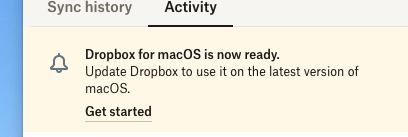
How to disable "Update" notification on MacOS
Dropbox's new launch on MacOS essentially cripples Dropbox (spotlight is broken, finder cannot search, external drive cloud storage is disabled, etc.)
So reverting to the older version fixes all th...

Hannah Dropbox Community Moderator
3 years agoDropbox Community ModeratorThanks for your feedback again, dragononamac.
We've made sure that it's been passed along to our devs team.
If you'd like assistance with a specific issue, please let us know.

dragononamac
3 years agoCollaborator | Level 8
Yes I told you my specific issue, did you not capture it? Bit confused by your response
About Apps and Installations
Have a question about a Dropbox app or installation? Reach out to the Dropbox Community and get solutions, help, and advice from members.
The Dropbox Community team is active from Monday to Friday. We try to respond to you as soon as we can, usually within 2 hours.
If you need more help you can view your support options (expected response time for an email or ticket is 24 hours), or contact us on X, Facebook or Instagram.
For more info on available support options for your Dropbox plan, see this article.
If you found the answer to your question in this Community thread, please 'like' the post to say thanks and to let us know it was useful!


