Your workflow is unique 👨💻 - tell us how you use Dropbox here.
Account Settings
283 Topics
Dropbox not syncing to Apple folders (Desktop, Documents, Downloads)
Device MacBook Air M4 Operating System/Browser (if using the web) Sequoia, Tahoe Dropbox App Version (if using the app) 241.4.4853 Dropbox Plan Family Question or Issue My files are on Dropbox online. I now need to download them to my Mac (I've tried this on both a Tahoe and a Sequoia machine). Although the Mac already has Desktop, Documents and Downloads folders, the Dropbox app creates a new parallel set of (virtual) folders under the same names, residing in the Dropbox folder (~/Library/CloudStorage/Dropbox. In the past Dropbox used to sync with the existing Apple folders, but that's not been the case since a few OS X/Dropbox versions. It is my understanding that the parallel folders are supposed to be there, but Mac would mirror these, to make it look like they are in the `Apple folders. It makes no difference whether either File Provider and/or Backup is on or off. How do get rid of this double folder issue?41Views0likes2Comments
My files aren't syncing. Is my app connected to the right account?
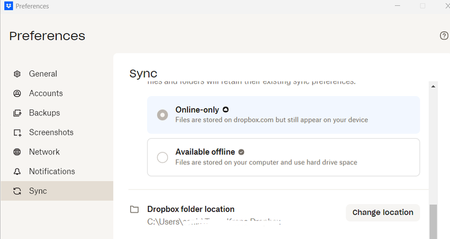
I am a new employee to a company. The previous employee had a dropbox acct on the same computer that I use, however my files are not syncing with the other team members for the company. When I open preferences below is the dropbox folder location which is that of the previous employee. How can I resolve this issue?182Views0likes21Comments
Migrating from Dropbox Basic to Dropbox Plus
Hello , Can anyone give me the perfect instructions on how to best migrate from Basic to Plus? Note : My Basic and Plus don't have the same email addres, so they are different accounts but on the same Drive D. I currently have two Dropbox entries on my D drive: for convenience, let's say Dropbox Basic and Dropbox Plus. I use Basic daily, so all files there are currently up to date. Is it now a matter of copying all the files in Basic-Folder to Plus-Folder? I tried this, by the way, but it wasn't successful. The files were described in text in the Plus destination folder, but otherwise empty. There must be a workable method for this, right? Thanks in advance for your reply. Ruud187Views0likes15Comments
Dropbox Community rank notifications
I have my dropbox community notifications set up the way I want them - except that there does not seem to be an option to turn on/off emails telling me "You have earned a new rank in The Dropbox Community!". There is an unsubscribe button at the bottom of the email but it just takes me to My Settings: | The Dropbox Community where there is nothing about ranks. I have "earn a new badge" set to Never.95Views0likes7CommentsHow can I keep the same number of licenses, and remove the old member?
We have a set number of licenses for a Team. We have had somebody leave and also now have a replacement. Their email addresses are different. What would be the best way for me to keep the same number of licenses and make the needful changes such that I can remove the old one and add the new joinee?57Views0likes2Comments
How can I unlink a Dropbox Business account if I can no longer access this work account?
Good morning, I am using the Dropbox Desktop app and I would like to link my new Business Dropbox. Unfortunately, my previous' employers business Dropbox is still linked, but I can no longer sign in to this account to unlink it. Is there a work around that does not require me to sign in to my old business dropbox? Thank you!48Views0likes2Comments
I'm trying to update the email address of my Dropbox account, but it says it's taken.
Dropbox Plan Plus Do you have access to the email linked to the account? Can only receive email, not send, but takes a long time to come through. Are there any devices connected to your Dropbox account? PC Question or Issue I am trying to transfer my account over to my new gmail e-mail address, but I get error message saying that address is already taken.80Views0likes2Comments