We’re Still Here to Help (Even Over the Holidays!) - find out more here.
dropbox capture
71 TopicsDiscover Dropbox Transfer in video!
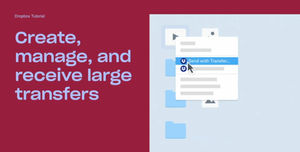
Hi beloved Community! Has any of you used Dropbox Transfer, our feature allowing you to share large files to anyone, Dropbox user or not? We put together a video featuring Madison, one of our Product Marketing Manager who built this amazing feature, and some of our users who will explain themselves, in their own words, how Transfer works! Check Dropbox Transfer video here! Did you like this video? And would you like to see more lightweight, educational videos on Dropbox features in the future?1.5KViews3likes0Comments
Allow editing of Dropbox Capture transcription (and thus closed captions)
I am trying out Dropbox Capture. Unlike Loom, there appears to be no capacity to edit transcripts and associated closed captions. Surely I am mistaken! The ability to edit a transcript (with flow-on effects to closed captions) is integral to reliable video production. Please remedy. I won't be using DB Capture until that is done.5.1KViews7likes14Comments
Open Feedback to Dropbox
Dropbox has the potential to make a huge leap forward not by inventing something radically new, but by strengthening and bundling the tools it already has. Here’s what could truly make the difference for many professionals and businesses: Reintroduce and expand Dropbox Capture. Today, video and screen recording is a daily need for teams, customer support, and remote collaboration. This tool should not disappear, it should be stronger. Enhance and integrate e-signature features. Make them more seamless, reliable, and part of the core Dropbox experience. For the Italian market, enabling authentication with the CIE (Electronic Identity Card) would make the application a must-have and extremely interesting. Boost DocSend, review its interface and make it more user-friendly. The tool is powerful, but its full potential emerges only when it’s intuitive to use and included in an accessible bundle. Significantly increase file sync capacity. Many users complain about the ~500,000 files (or performance decline oltre i ~300.000 file sincronizzati sul computer) limit in Dropbox’s desktop app The winning move would be to create a unified, accessible bundle that combines these tools at a fair price. This would bring clear, tangible value to users and set Dropbox apart from competitors in a meaningful way. Sometimes innovation is not about the next big thing. It’s about making what you already have indispensable.138Views3likes2CommentsPlease don't dismiss Capture!
Capture is an important tool in Dropbox. It allows you to quickly create and share videos with ease. By leveraging Dropbox's best features—such as unlimited storage and video editing capabilities—Capture becomes an invaluable asset. Ignoring it would be a missed opportunity!105Views0likes2Comments
How do I disable Dropbox Capture and still save my screenshots to my account?
The title says it all. Dropbox capture is the worst "upgrade" I have ever encountered. It adds extra steps to my workflow and is utterly useless to me. I simply want my screen shots to save to my drop box screenshot directory How do I do this? I cannot find the actual directory to which the screen shots are saved to. I can change the screen shot destination easily from the command lineSolved701Views0likes5CommentsWhat Do You Want to See on the Community?
Hey everyone, my name is Emmet and I’m in charge of the Experience for our users on the Dropbox Community. The Community Team is working on improvements to the Community and your voices are important to this conversation. We want to know what you think we’re doing well and what you feel we could be doing better. When giving feedback, please be as detailed as possible. The more information we have the better. Your experience can be about any part of the Community experience from creating an account, posting a thread, receiving emails etc. Please feel free to let us know what you think about all our sections and any features/areas of the Community you would like to see in the future. Also, while we do work closely with other areas of the support experience, this thread is specifically about the Dropbox Community. We pass on feedback about other areas of support to those teams as we receive them, but the focus of this thread is on the Community experience.1.7KViews2likes4CommentsCapture update
Thank you for being a valued Dropbox Capture user. After careful consideration, we’ve decided to discontinue Dropbox Capture on March 24th. Please note that you’ll still be able to use the screenshot tool through the Dropbox desktop app. After March 24th, you will no longer be able to create new screen recordings, audio clips, GIFs, or videos using Capture. The Capture desktop app—and Capture via web access—will no longer be available. Good news: We’re continuing to add new screenshot functionality within the Desktop app. On March 24th, you will be able to use the screenshot tool to capture the exact part of the screen you want to send. You will be able to add extra emphasis to your screenshots with text, shapes, drawings, and arrows. We understand that your content is important, so know that you will not be losing any of your existing Capture images and videos. To learn more about this change, please read this article.1.6KViews0likes29Comments
Dropbox capture: we need to keep it active
I never comment in forums, but the recent announcement of discontinuing dropbox capture was disappointing the very least. We gone into great lengths in training out team in using this user friendly tool, that we strongly believe Dropbox should reconsider.443Views9likes4Comments🌟🤝Community Spirit Badge 🤝🌟
Hey everyone! 🌟 It’s Theresa here. You’ve probably seen me hanging out in the Community, jumping into conversations and joining discussions (if you haven’t seen me before, well, hello 👋). And while doing that, I’ve noticed something pretty great (well, we all have here on the Dropbox Community Team) – so many of you are out here making this Community an amazing place. Whether you're helping others, sharing useful tips, or just bringing good vibes ✨, your contributions really stand out. To recognise and celebrate this, we’ve created a brand-new badge… This badge is all about celebrating the people who make this space feel like home. It’s for those who do more than just answer questions – the ones who offer a helping hand 🤝, share great tips 💡, and keep the good vibes flowing. Whether you're solving tricky problems 🧩, sharing useful resources 📚, or just making the Community a fun place to hang out 😃, we see you and we appreciate you. The Community Spirit Badge is a one-time award 🏆, so if you earn it, you know you're doing something special. It's a little extra recognition for those who truly bring the Community to life. We’re so excited 🎊 to launch this new badge and can’t wait to start recognizing the amazing individuals who truly bring the spirit of this Community to life. And if you spot someone who you think deserves the Community Spirit Badge, don’t hesitate to tag me Theresa within the thread. T 💙 (Dropbox Community Manager)818Views5likes0CommentsPlease keep Dropbox Capture
This is a great communication tool. I use it every day to communicate design and program changes to my team. I love how seamlessly it integrates with Dropbox Paper. Please reconsider keeping this an active app within the Dropbox family of products!108Views3likes2Comments