Your workflow is unique 👨💻 - tell us how you use Dropbox here.
Forum Discussion

nabillaamalia
1 year agoExplorer | Level 3
Cannot open excel files on my Mac, files aren't corrupt.
I cannot open all of my excel files in my Dropbox. Everything was fine yesterday, and I still worked with all my files. But today it cannot. The files weren't corrupt, I tried to open in downloads f...

nabillaamalia
1 year agoExplorer | Level 3
Yes sure. I don’t know what’s wrong with the files or the Dropbox, this is my very first time cannot open my files

Mark Super User II
1 year agoSuper User IIDo they open if they are outside of the Dropbox folder?
Have you tried a repair of Office 365?
- nabillaamalia1 year agoExplorer | Level 3Yes, no problem outside the Dropbox. I still use the file from Dropbox the day before and everything was normal until yesterday I cannot opened it at all.
I’ve tried repair the Office 365 and the Dropbox but nothing happened- Megan1 year ago
Dropbox Community Moderator
Hey nabillaamalia, would you mind sending me a screenshot of an example file that fails to open in Excel, but within your Dropbox folder, in order for me to double-check the icon next to it?
If you quit the Dropbox app, I'm assuming the files open without an issue, right?
- nabillaamalia1 year agoExplorer | Level 3
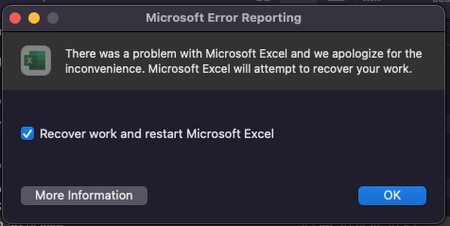
Here it is, still cannot be opened

About View, Download, and Export

Get support with viewing, downloading, and exporting files and folders from your Dropbox account.
The Dropbox Community team is active from Monday to Friday. We try to respond to you as soon as we can, usually within 2 hours.
If you need more help you can view your support options (expected response time for an email or ticket is 24 hours), or contact us on X, Facebook or Instagram.
For more info on available support options for your Dropbox plan, see this article.
If you found the answer to your question in this Community thread, please 'like' the post to say thanks and to let us know it was useful!


