Your workflow is unique 👨💻 - tell us how you use Dropbox here.
Forum Discussion

nabillaamalia
1 year agoExplorer | Level 3
Cannot open excel files on my Mac, files aren't corrupt.
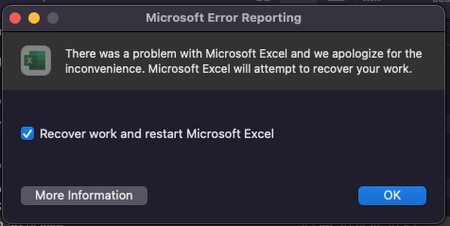
I cannot open all of my excel files in my Dropbox. Everything was fine yesterday, and I still worked with all my files. But today it cannot. The files weren't corrupt, I tried to open in downloads f...

nabillaamalia
1 year agoExplorer | Level 3
Here it is, still cannot be opened

Jay Dropbox Community Moderator
1 year agoDropbox Community ModeratorAccording to the screenshot, the file is not available offline as there is no green icon there.
Please could you mark the file as available offline first, and then try opening it again.
- nabillaamalia1 year agoExplorer | Level 3
I already did, but nothing changed.
- Jay1 year ago
What about if you quit the Dropbox desktop application entirely, and try opening it again?
If you copy and paste that file to a non-Dropbox folder, does it open?
 marchenkovasea1 year agoExplorer | Level 4
I have similar issue now for 2 weeks. Many of my word documents cannot be opened, but outside dropbox folder they work well. In dropbox I dont know why some files have a kind of \\?\ at the beginning of the file destination.
- Hannah1 year ago
Hey marchenkovasea, are you on a Windows computer?
Can you take a look at Здравко's response here to see if you'll find any useful info?
- marchenkovasea1 year agoExplorer | Level 4Hi Hannah,
Yes, it is windows and that thread was just recently opened by me. Matter solved: too long folder names - nabillaamalia1 year agoExplorer | Level 3Yes, even I’ve tried to reinstall the Dropbox and the Microsoft 356.
Anyway, the file that cannot be opened was in binary format. Did Dropbox no longer supports binary format?

About View, Download, and Export

Get support with viewing, downloading, and exporting files and folders from your Dropbox account.
The Dropbox Community team is active from Monday to Friday. We try to respond to you as soon as we can, usually within 2 hours.
If you need more help you can view your support options (expected response time for an email or ticket is 24 hours), or contact us on X, Facebook or Instagram.
For more info on available support options for your Dropbox plan, see this article.
If you found the answer to your question in this Community thread, please 'like' the post to say thanks and to let us know it was useful!


