Your workflow is unique 👨💻 - tell us how you use Dropbox here.
Forum Discussion

Rei3e
2 years agoHelpful | Level 6
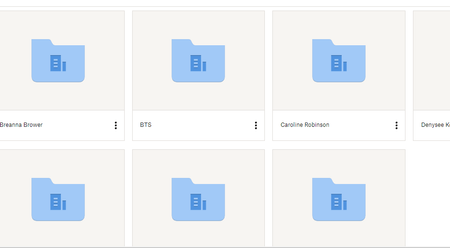
There's a change in the way files preview with grey boxes around.
Hi there! Dropbox recently updated the preview image experience and there is now grey shadow boxed around all of the image previews. Unfortunately, for individuals such as myself who have to cull thr...

indysportszone
2 years agoNew member | Level 2
This is what I see after the most recent update. Before I could see all the videos I had starred and it made it easy for me to select and download. Now I have to hover over each one. The boxes are too big as well. This is on the smallest setting. How do I change the look.

leveeroadstudio
2 years agoHelpful | Level 6
Also, we can no longer copy all of the links for the images at one time, which is a HUGE part of my workflow... The new layout displays a "preview" of the folder items when you click on them, not the actual dropbox links.
I'm at a loss at what to do here. Time to find a Dropbox alternative?
About View, Download, and Export

Get support with viewing, downloading, and exporting files and folders from your Dropbox account.
The Dropbox Community team is active from Monday to Friday. We try to respond to you as soon as we can, usually within 2 hours.
If you need more help you can view your support options (expected response time for an email or ticket is 24 hours), or contact us on X, Facebook or Instagram.
For more info on available support options for your Dropbox plan, see this article.
If you found the answer to your question in this Community thread, please 'like' the post to say thanks and to let us know it was useful!


