Need to see if your shared folder is taking up space on your dropbox 👨💻? Find out how to check here.
Forum Discussion

Filmtime
4 years agoExplorer | Level 4
dropbox unshare file/folder by clearing membership
I'm located in Australia. Yesterday Dropbox began unauthorised activity on my account. As a result of the activity, files and folders began to vanish. This is our main folder used for all our clie...

Hannah Dropbox Community Moderator
3 years agoDropbox Community ModeratorSorry to hear about this, ashtrey1980.
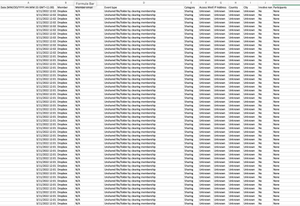
What does your events page show about this?
And are you able to see the deletion events there and restore the files?

ashtrey1980
3 years agoHelpful | Level 5
I spoke with Bryson at DB support this AM. Even he was surprised by the fact I didn't have a "Restore" button. Yes, it does show up in deleted events, just no option to restore. And because the folder is gone, no option to rewind. I have faith that the next layer of tech support (still waiting on the email or call) will be able to perform a system rollback for us.
About Delete, edit, and organize
Solve issues with deleting, editing, and organizing files and folders in your Dropbox account with support from the Dropbox Community.
The Dropbox Community team is active from Monday to Friday. We try to respond to you as soon as we can, usually within 2 hours.
If you need more help you can view your support options (expected response time for an email or ticket is 24 hours), or contact us on X, Facebook or Instagram.
For more info on available support options for your Dropbox plan, see this article.
If you found the answer to your question in this Community thread, please 'like' the post to say thanks and to let us know it was useful!


