Your workflow is unique 👨💻 - tell us how you use Dropbox here.
Forum Discussion

obmunh
1 year agoHelpful | Level 6
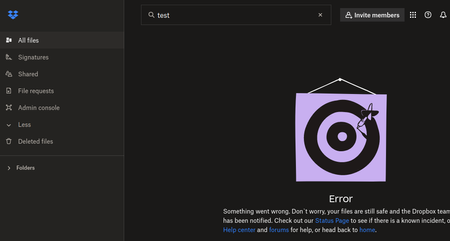
"Something went wrong" error when searching for files using Firefox
I have been experiencing for already a few weeks (if not even more) problems with the search function in the website. Any attempt at a search always returns the following:
I have been sear...
- 1 year ago
There isn't much else we can request, since it seemed to work in the private browsing mode normally.
The usual things that can prevent the site from working are extensions and plugins, and other built-in features in browsers which might prevent scripts or something to that effect.

Jay Dropbox Community Moderator
1 year agoDropbox Community ModeratorThere isn't much else we can request, since it seemed to work in the private browsing mode normally.
The usual things that can prevent the site from working are extensions and plugins, and other built-in features in browsers which might prevent scripts or something to that effect.

obmunh
1 year agoHelpful | Level 6
OK, interesting. Full browser cleanup, no diff. Still showing the same search error. Went one by one on my extensions, and guess what: disabling the "return YouTube dislikes" extension in Firefox fixed it :D. Solved!
(surprised I cannot seem to find other references to this problem for other people in the web)
- Jay1 year ago
Yes, most likely that extension was doing something with scripts, which affected the Dropbox site somehow.
I'm glad to hear that you were able to resolve this matter!
About Delete, Edit, and Organize
Solve issues with deleting, editing, and organizing files and folders in your Dropbox account.
The Dropbox Community team is active from Monday to Friday. We try to respond to you as soon as we can, usually within 2 hours.
If you need more help you can view your support options (expected response time for an email or ticket is 24 hours), or contact us on X, Facebook or Instagram.
For more info on available support options for your Dropbox plan, see this article.
If you found the answer to your question in this Community thread, please 'like' the post to say thanks and to let us know it was useful!


