Need to see if your shared folder is taking up space on your dropbox 👨💻? Find out how to check here.
Forum Discussion

RunBear
8 years agoHelpful | Level 5
Can't access system tray preferences menu Windows 10
I am running DropBox desktop v 61.4.95 on Windows 10. If I left or right click the system tray Dropbox icon, I don't get any menu pop up. This means I have no way of accessing my preferences, including Sync settings.
It works fine on a different Windows 10 PC that I have and it used to work on this PC but I don't know exactly when it stopped working.
Try a CTRL-left click to access the legacy menu.

31 Replies
Replies have been turned off for this discussion
- Jane7 years ago
Dropbox Staff
Thanks for clarifying matters for me daintria; let me follow-up a bit closer!So, when you click on the Dropbox icon on your system tray, there should be a pop-up window with your Recents & Notifications.On the top-right hand side that’s next to the Search Bar, please navigate on the three dots next to your profile picture→ Choose “Preferences" & this should automatically land you on the “General” tab on the preferences menu. → There, you should be able to check the box next to Show Dropbox as a save location in Microsoft Office.If you don’t see any of the fields above or the process halts after a certain point, could you include a screenshot of your view in your next message for me if possible (omitting personal info)?Thanks again for staying in touch; I look forward to hearing back from you! - michaelytt7 years agoExplorer | Level 4
I have lost track of who is helping whom. I do not have an issues with DropBox currently. Everything is working well. Thanks.
- Jane7 years ago
Oh, that’s great to hear & thanks for offering your assistance here michaelytt! :slight_smile:
As I’m also following the discussion, I was trying to help daintria, since it looks like they were facing an issue when trying to carry out the instructions in the relevant help center article I had included in my previous post.
- daintria7 years agoExplorer | Level 3
Hi Jane,
i dont haave a place with three dots on that page and now it wont let me upload the picture of the screen to send you
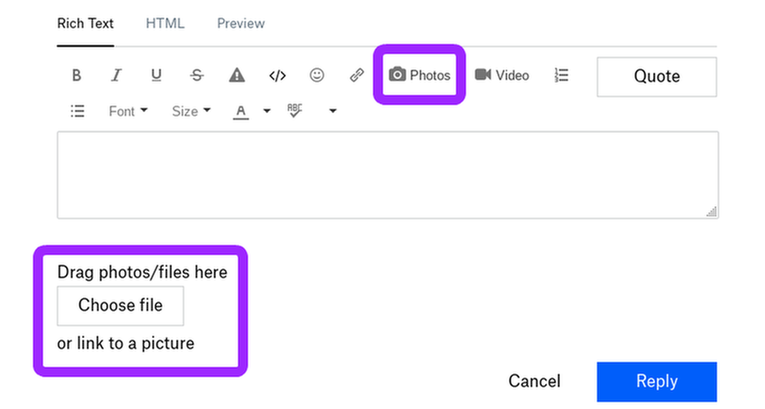
- Jane7 years agoSo, if you’ve already grabbed this screenshot I asked you previously daintria, could you upload it on this thread using either of the options below?If you’re facing any issues with that or you’re getting any error messages along the way, please let me know in your next message!
- Rich7 years ago
Super User II
- daintria7 years agoExplorer | Level 3
Hi Jane,
mine looks nothing like Mikes, i think mine is "S" mode, does that matter?
- daintria7 years agoExplorer | Level 3
my try to upload the screen gives me Error code: Upload Failed in a big maroon box
- Rich7 years ago
daintria wrote:
i think mine is "S" mode, does that matter?
Yes, it matters. The options listed above are part of the Dropbox desktop app, and do not exist in the S mode app, which is bascially the same as a mobile version of Dropbox.
- SandySD7 years agoNew member | Level 2
Hi Jane,
I am having the same issue. It used to work fine, but a few weeks, maybe a few months ago either left or right clicking the icon in the tray does nothing. I reinstalled and updated with no luck.
The CRTL click trick works fine and is a work around, but not the way it is supposed to be. Been using Dropbox for years with no problem and works fine on my Windows 10 laptop on the same account. A screen shot won't help as there is nothing there to screen shot, which is what the issue is. The icon works fine as far as synch indicator.

About Apps and Installations
Have a question about a Dropbox app or installation? Reach out to the Dropbox Community and get solutions, help, and advice from members.
The Dropbox Community team is active from Monday to Friday. We try to respond to you as soon as we can, usually within 2 hours.
If you need more help you can view your support options (expected response time for an email or ticket is 24 hours), or contact us on X, Facebook or Instagram.
For more info on available support options for your Dropbox plan, see this article.
If you found the answer to your question in this Community thread, please 'like' the post to say thanks and to let us know it was useful!


