Your workflow is unique 👨💻 - tell us how you use Dropbox here.
Forum Discussion

GregHutchings
3 years agoHelpful | Level 5
Dropbox MacOS extension supporting > Monterey?
Hi. I've just upgraded my Mac to MacOS Monterey and received the warning below. Apple recommends that I contact Dropbox about this, and though I am a paying customer, the only support mechanism tha...
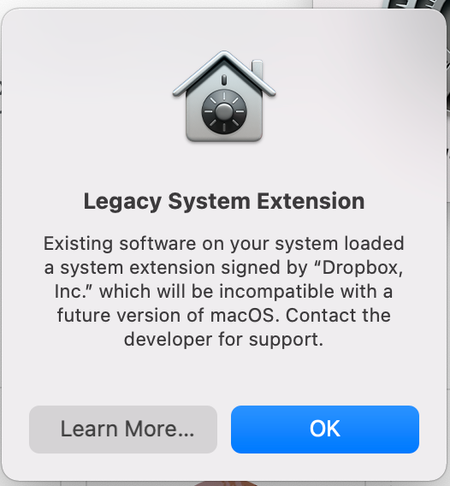
- 3 years agoHi GregHutchings, thanks for reaching out.
First of all, please ensure that you're signed into your paid account in order to see all available support options.
This message is about how a component will behave on a future release of a macOS. There's no change in the way Dropbox will work on your computer (and your data will continue to be accessible, too).
We're hard at work on full support for online-only files on future macOS versions. In the meantime, if you have any issues opening online-only content, you can still do so by double clicking on your files in Finder.
Let me know in case you need something else!


KMT1
3 years agoNew member | Level 2
I didn’t choose to upgrade my OS, I bought a new work computer out of necessity. All of my files are in Dropbox and I can’t even download them. When do you expect to release the compatible version? Can I sign up for the beta version? I’m a bit desperate.

d_inmetrowest
3 years agoHelpful | Level 6
Hi KMT1,
I recommend you go to the top of this thread and message Nancy, who works for Dropbox.
Perhaps they would post an update on their efforts to address this problem.
About Apps and Installations
Have a question about a Dropbox app or installation? Reach out to the Dropbox Community and get solutions, help, and advice from members.
The Dropbox Community team is active from Monday to Friday. We try to respond to you as soon as we can, usually within 2 hours.
If you need more help you can view your support options (expected response time for an email or ticket is 24 hours), or contact us on X, Facebook or Instagram.
For more info on available support options for your Dropbox plan, see this article.
If you found the answer to your question in this Community thread, please 'like' the post to say thanks and to let us know it was useful!


