Your workflow is unique 👨💻 - tell us how you use Dropbox here.
Forum Discussion

CaptainPablo
2 years agoNew member | Level 2
Can't log in "Previous sign-in interrupted" error
As it says above ... Can't log in "Previous sign-in interrupted" error.
Any help appreciated.
It's a business account if that makes any difference.
- 2 years agoHi everybody,Appreciate your comments here. We’d like to share some key takeaways from this discussion.If you’re getting the ‘’ “Previous sign-in interrupted" error’’ please check if you hit the device limits of your account:
- Dropbox Basic users can be logged into up to three devices at a time.
- Dropbox Plus, Family, Professional, and Essentials customers can log into as many devices as they need.
- Dropbox team users can log into as many devices as they need, but admins on Advanced, Business Plus, and Enterprise teams can limit the number of devices their teams can link.
Actions to take:- Unlink some, or all your devices. Instructions in here.
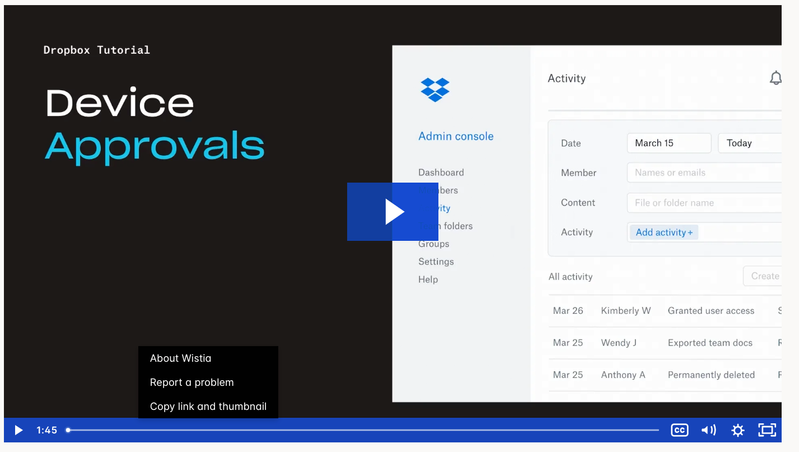
- Request your company Team Admin to manage your devices via the admin console:
Tip 🎯: they can use the Exception list to allow only you to have more than one connected computer.Video Tutorial here.This is the most recent info we've got for now. To keep things clear on the topic, we will be closing off this thread. If you’re still having issues, please start a new discussion and we’ll look into it!Thanks,Sam


Walter Dropbox Community Moderator
2 years agoDropbox Community ModeratorHey Drumboxing - sorry to hear you're having issues with this.
Since you've already done some troubleshooting without any luck, I'd recommend getting in touch with our support team for further assistance as they'll be able to help you with account specific information.
Once you do that and get a ticket ID from our system, you can share it with us here so that we can look it up as well, if needed.

SMB Techie
2 years agoHelpful | Level 5
I already escalated to Tier 2 support 18 hours ago (#23067267), no response from them yet. As a business user, I don't have time to hang out by the phone or email to hear back from them -- I've got to go do my business! I'm afraid it may take days of telephone tag to get someone.
I have the same problem as others in this forum and believe I have tried everything that has been described, maybe plus some.
THE PROBLEM: I am trying to install the Dropbox desktop app on a brand new Windows 11 Pro computer. Like, straight out of the box new, and only a few apps were installed before Dropbox -- and not an antivirus program. I keep getting stuck in a "loop" of the .EXE installer asking me to sign in via the browser; the browser is successful, saying it's signed in; but when it passes the process back to the .EXE, the local installer program doesn't continue the installation and generates the "Previous Sign In Interrupted" error message. I am business account with five users, and this would be install #2 for the staff member who will get this new PC, so I have not exceeded any quotas for installations.
INTERVENTIONS
I have tried:
- turning off beta versions
- installation attempts with Edge and then Chrome set as the default browser, same problem
- clearing the cache of the browsers and removing all extensions (but this is a new PC, all that was in the history was from the day it was booted)
- turning off Windows Defender Firewall (and no, there is no other A/V program)
- more than one Wifi - to remove concerns about a block in a specifical firewall
- full uninstall and reinstall of Dropbox; multiple reboots
- I've tried Offline Installer (Ver 188.4.6302). But this CAN'T be a true "offline" installer, because when I run it with Internet turned off, it complains, "your computer is offline" and cancels the installation!!!!
The problem is clearly in how the .EXE receives confirmation that the login has succeeded via the browser.
Is there a registry key that needs to be manually edited?
Is there another version of the offline installer that actually runs offline?
Thank you.
- Megan2 years ago
Hi SMB Techie, thanks for posting here today!
I was able to check the ticket number reference that you provided us with, and it seems the agent just replied back to you.
Did you have a moment to review his response, and follow his steps?
Let me know, and we'll take it from there!
- SMB Techie2 years agoHelpful | Level 5
RESOLVED, but not by dint of any of the suggestions from tier 2 support, none of which worked.
Either as default setting, or a security setting the initial DropBox consultant had me set on my business account when we migrated to DropBox, my staff were restricted to one device connected to Dropbox. Since my secretary was still using her current computer with Dropbox access while I was configuring the new replacement, the replacement PC was a second computer - hence, Dropbox created a login loop and rejected the new PC as exceeding the limit. The problem had nothing to do with browsers, caches, firewalls, proxies, VPNs, or Wi-fi connections, as per Support's suggestion. In retrospect, I respectfully suggest they should have known to tell me about that simple possible reason for a rejected login: too many devices.
SOLUTION: As the Dropbox administrator, I went to Settings and Security. I changed the employee's user account to allow 2 devices to be linked. That fixed it! Simple as that. Now, both are linked and updating. When I replace her old computer with the new, I can choose whether to leave both devices linked or delete one and restrict her to one device again.
For non-business users, with free accounts, this is the equivalent situation of trying to add a fourth device linked to Dropbox. You'll need to delete one device to add your new one to stay within the limit of three devices.
- Sam DBX2 years ago
Community Manager
Hi everybody,Appreciate your comments here. We’d like to share some key takeaways from this discussion.If you’re getting the ‘’ “Previous sign-in interrupted" error’’ please check if you hit the device limits of your account:- Dropbox Basic users can be logged into up to three devices at a time.
- Dropbox Plus, Family, Professional, and Essentials customers can log into as many devices as they need.
- Dropbox team users can log into as many devices as they need, but admins on Advanced, Business Plus, and Enterprise teams can limit the number of devices their teams can link.
Actions to take:- Unlink some, or all your devices. Instructions in here.
- Request your company Team Admin to manage your devices via the admin console:
Tip 🎯: they can use the Exception list to allow only you to have more than one connected computer.Video Tutorial here.This is the most recent info we've got for now. To keep things clear on the topic, we will be closing off this thread. If you’re still having issues, please start a new discussion and we’ll look into it!Thanks,Sam

About Security and Permissions
Find answers to your questions about Dropbox account security and permissions.
The Dropbox Community team is active from Monday to Friday. We try to respond to you as soon as we can, usually within 2 hours.
If you need more help you can view your support options (expected response time for an email or ticket is 24 hours), or contact us on X, Facebook or Instagram.
For more info on available support options for your Dropbox plan, see this article.
If you found the answer to your question in this Community thread, please 'like' the post to say thanks and to let us know it was useful!


