Need to see if your shared folder is taking up space on your dropbox 👨💻? Find out how to check here.
Forum Discussion

CaptainPablo
3 years agoNew member | Level 2
Can't log in "Previous sign-in interrupted" error
As it says above ... Can't log in "Previous sign-in interrupted" error.
Any help appreciated.
It's a business account if that makes any difference.
- Hi everybody,Appreciate your comments here. We’d like to share some key takeaways from this discussion.If you’re getting the ‘’ “Previous sign-in interrupted" error’’ please check if you hit the device limits of your account:
- Dropbox Basic users can be logged into up to three devices at a time.
- Dropbox Plus, Family, Professional, and Essentials customers can log into as many devices as they need.
- Dropbox team users can log into as many devices as they need, but admins on Advanced, Business Plus, and Enterprise teams can limit the number of devices their teams can link.
Actions to take:- Unlink some, or all your devices. Instructions in here.
- Request your company Team Admin to manage your devices via the admin console:
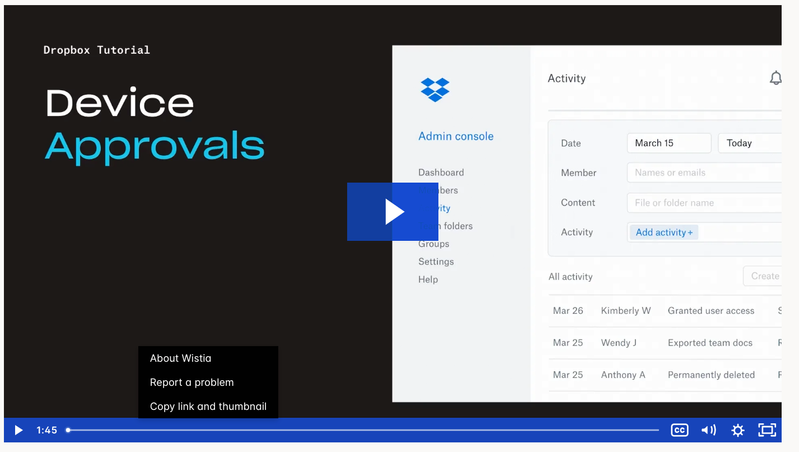
Tip 🎯: they can use the Exception list to allow only you to have more than one connected computer.Video Tutorial here.This is the most recent info we've got for now. To keep things clear on the topic, we will be closing off this thread. If you’re still having issues, please start a new discussion and we’ll look into it!Thanks,Sam

97 Replies
Replies have been turned off for this discussion
 jkleinhoven3 years agoHelpful | Level 5
MacOS 13.6
that offline installer is what I tried 10 times or so is giving me the error as stated in the Subject field
 igaming3 years agoHelpful | Level 5
Hannah where are we with this, please? Did you see my screenshots?
- Hannah3 years ago
Dropbox Community Moderator
Hey igaming, I did see your screenshots, did you check the troubleshooting steps I provided above?
They seemed to help johnnybrav0.
Make sure to try them as well, jkleinhoven!
- igaming3 years agoHelpful | Level 5
Hi Hannah yes, I did try them and no, they didn't work.
Great that johnnybrav0 is sorted but he's using a Windows machine and I'm using a Macbook.
- Nancy3 years ago
Hi again, igaming. Can we log a ticket for you then, and send it over to this email address?
Our support team can look into this on their end.
- igaming3 years agoHelpful | Level 5
Hi Nancy I already have a ticket open - number 22778315. Frustrating that it's taking so long to get this sorted.
Not impressed with Dropbox CS, I'm afraid. Seems to move at a snail's pace. Why someone can't just call me to get this sorted I don't know. We pay a fortune for Business Membership.
- Hannah3 years ago
Thanks for the ticket number, igaming.
I went ahead and passed your comments along to the agent working on your case and raised the priority of the ticket, so they'll get back to you the soonest possible.
Have a great week!
 Syed Rafay3 years agoExplorer | Level 3
Dear Hannah.
We in our organization , are also facing the same issue which is a Previous Sign in Error , on our machines which are running windows 11 OS
Troubleshooting already done :
-Unlinked old Devices
- Turned off early access
- tried offline Installer
Please be informed that i have already raised a ticket Ticket #22771686 , but no solution till now .
- Hannah3 years ago
Hey Syed Rafay, sorry to hear about this.
From what I can see from your ticket, the agent working on your case is waiting for your response.
Please make sure to check the email chain and get back to the agent, so they can assist you further.
Have a great day!
 Thomas MMG3 years agoNew member | Level 2
Can't log in "Previous sign-in interrupted" error.
Any help appreciated.


About Security and Permissions
Start a discussion in the Dropbox Community forum to get help with your account security and permissions. Find support from Community members.
The Dropbox Community team is active from Monday to Friday. We try to respond to you as soon as we can, usually within 2 hours.
If you need more help you can view your support options (expected response time for an email or ticket is 24 hours), or contact us on X, Facebook or Instagram.
For more info on available support options for your Dropbox plan, see this article.
If you found the answer to your question in this Community thread, please 'like' the post to say thanks and to let us know it was useful!


